Choose an age. Get a scissor skills book.
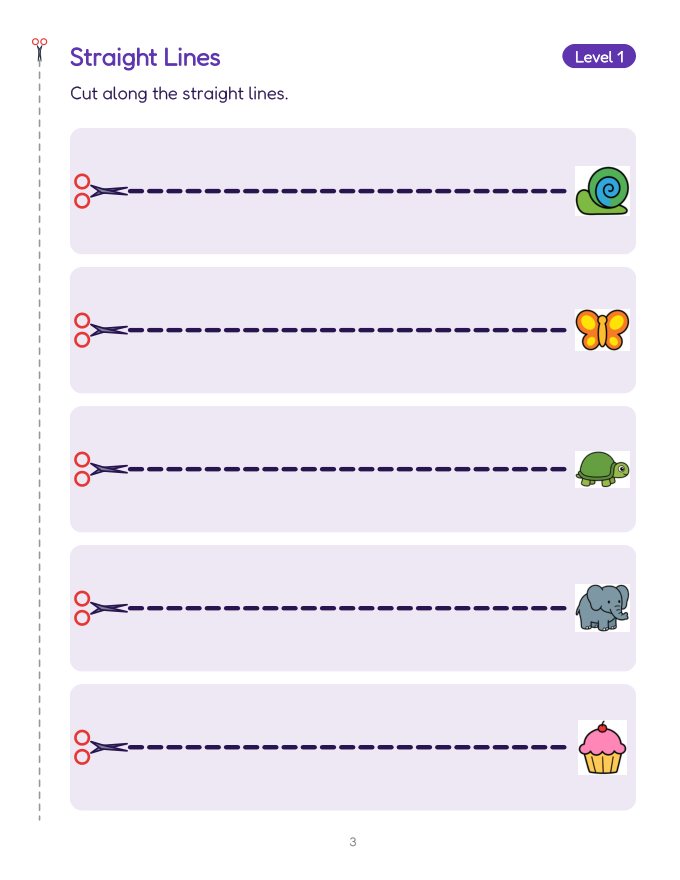
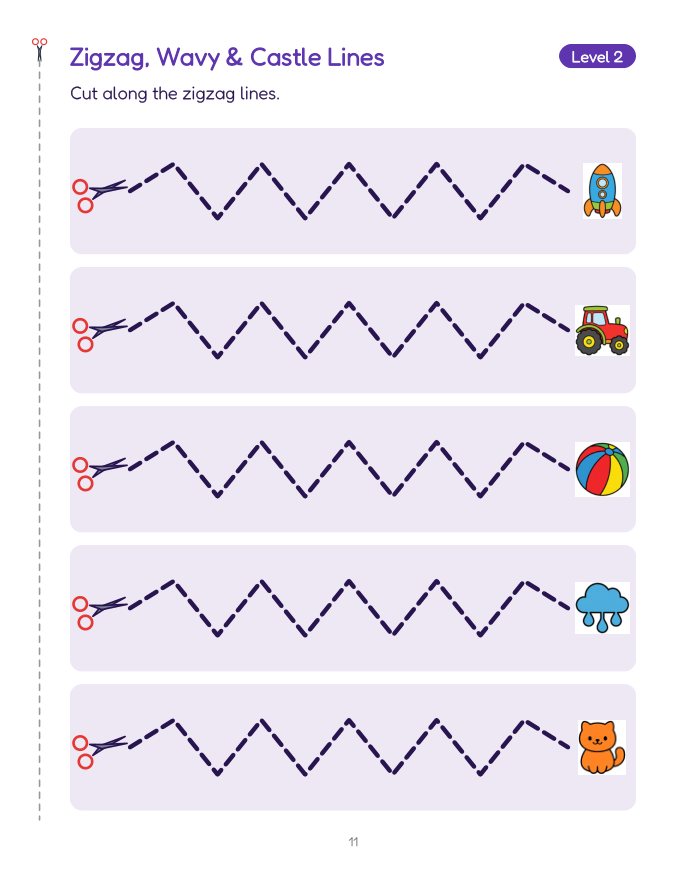
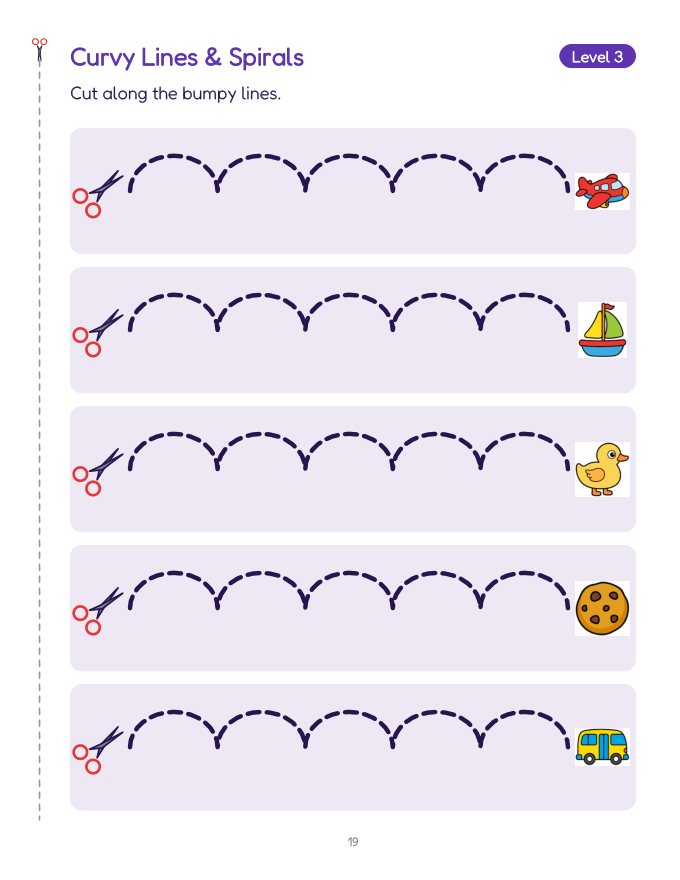
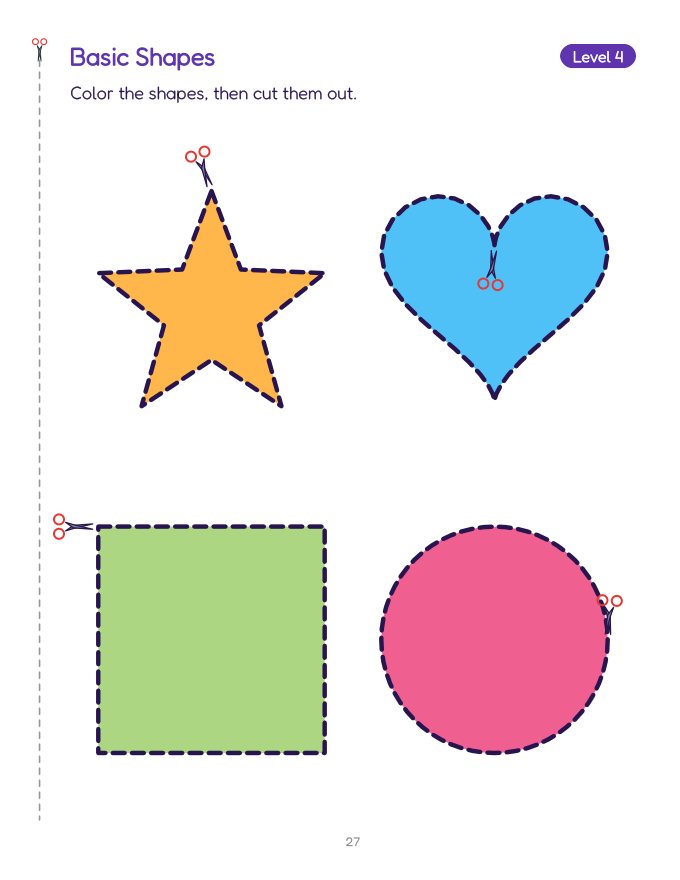
Scissor Skills Studio draws every cutting page for you: thick dashed lines, zigzags, spirals, shapes and cartoon pictures with a cut line around them, in 6 levels from easy to hard, with one-sided pages so cutting one page never ruins the next. Then it exports a KDP interior and cover.
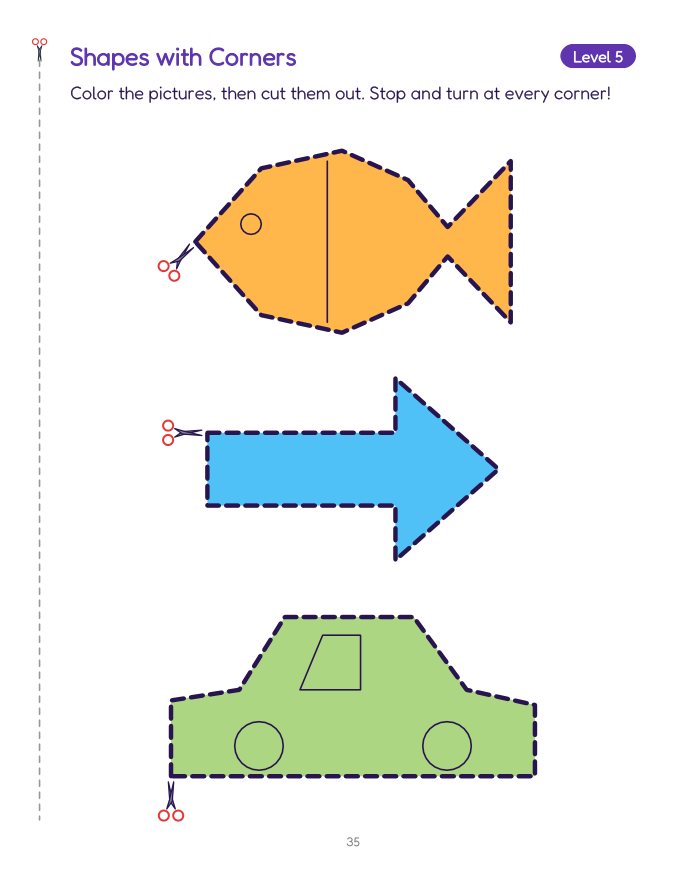
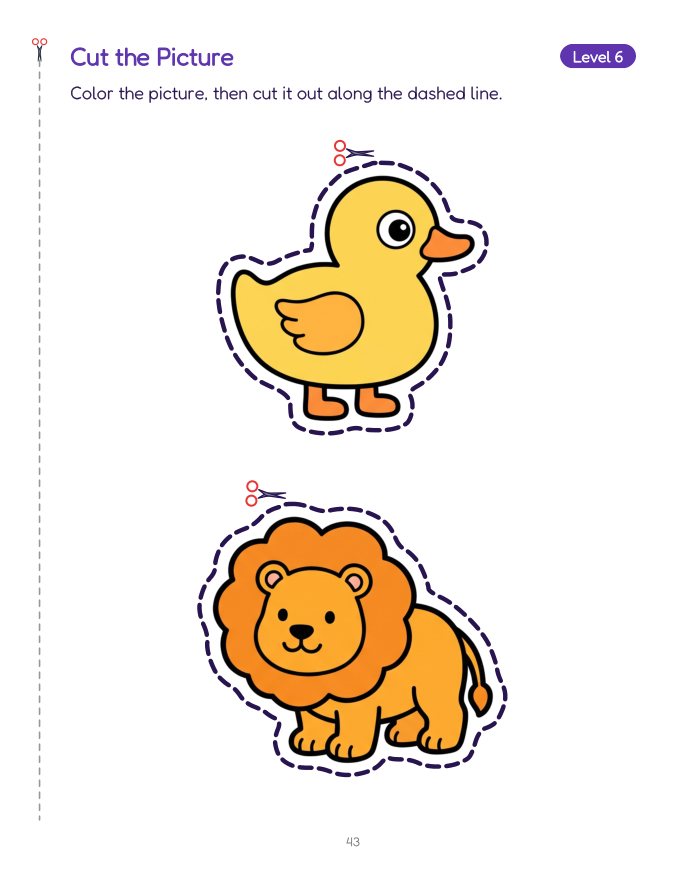
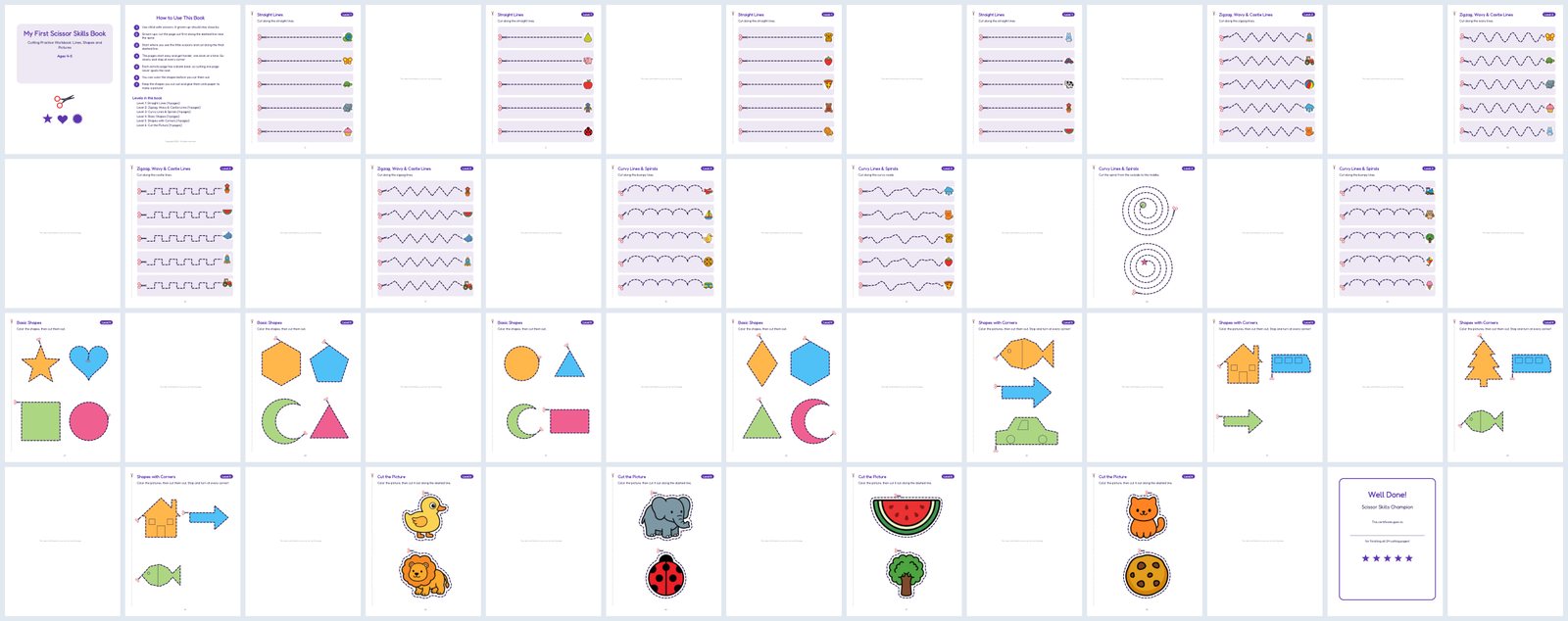
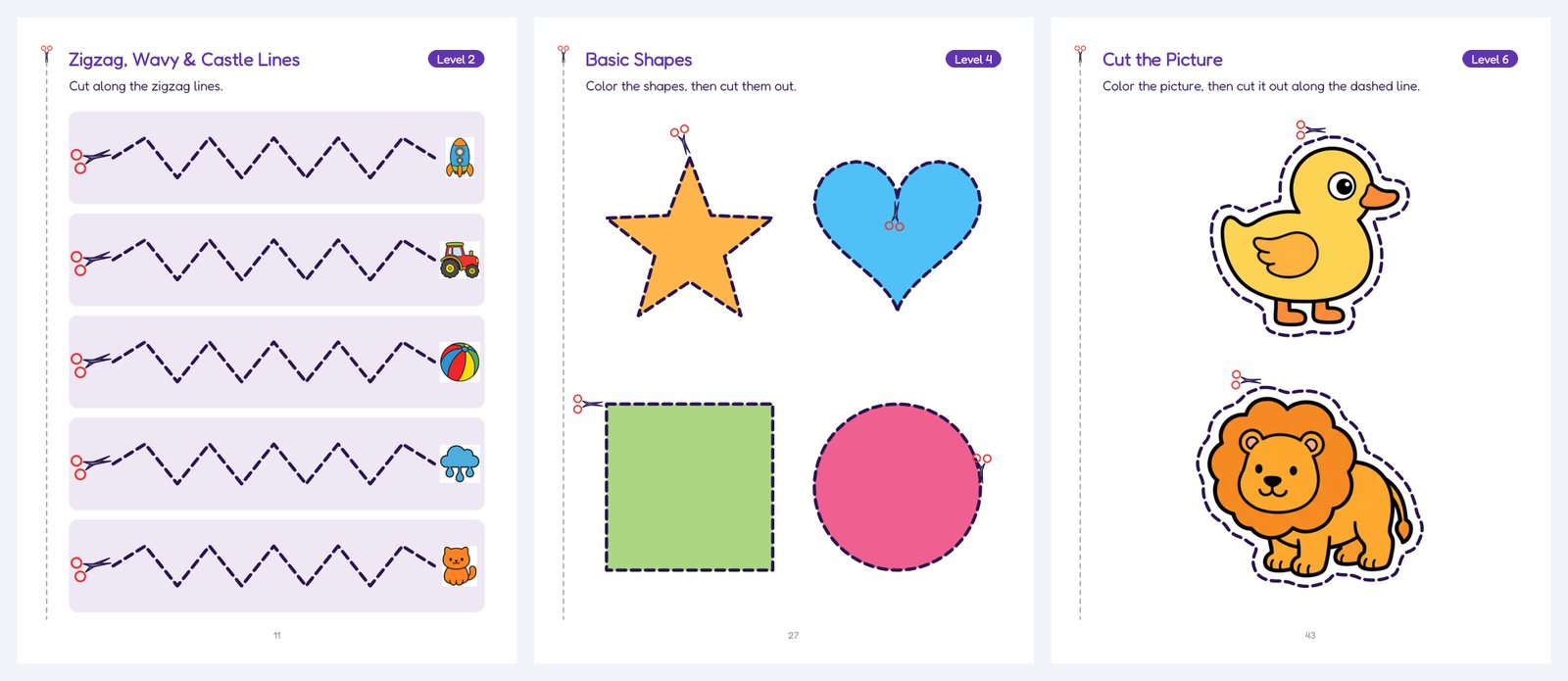
Real pages from the free sample book, exported by the front end. Nothing was edited afterwards.
▶ Watch the 1-minute demo · Download a free sample book (PDF) · See more examples
A web app for making scissor skills (cutting practice) activity books. You choose the age, the levels and how many pages; it draws the cutting pages, the how-to page and a certificate, and exports a book you can upload to Amazon KDP as a paperback.
Perfect for: KDP activity book publishers · parents, grandparents and preschool teachers making their own book · anyone who can choose from a list and type a title.
A cutting page looks simple: a few dashed lines. Then you try to make one. The dashes must be thick enough for a three-year-old, the zigzags evenly spaced, a little picture at the end of every strip, a start mark, and the next page must not be printed on the back of this one.
For a picture page you trace a cut line around the drawing, wide enough to cut, smoothing away every tiny bit a child cannot follow. Then 23 more pages, sorted from easy to hard.
That is the part this studio does for you. You choose the age and the levels. A moment later you are paging through a finished book.
Recorded in the real studio, front-end plan: choose the age, look at the pages, redo a page, try color-then-cut and build the interior and cover PDFs.
Real pages from the free sample book (ages 4–5). The book goes from level 1 to level 6.


“Cutting one page ruined the next”
Studio answer: one-sided pages. Every cutting page has a blank back, and the “cut here first” line helps take the page out.
“Too hard for my child”
Studio answer: 6 levels in order, the level printed on every page, and an age setting that changes line thickness and sizes.
“The lines are too thin”
Studio answer: 3.2–5 pt dashed lines, big shapes and bold-outlined pictures on a white background.
Summary of the themes we read in customer review summaries of popular scissor skills books on Amazon (November 2026). The book is not perforated: print-on-demand books cannot be.
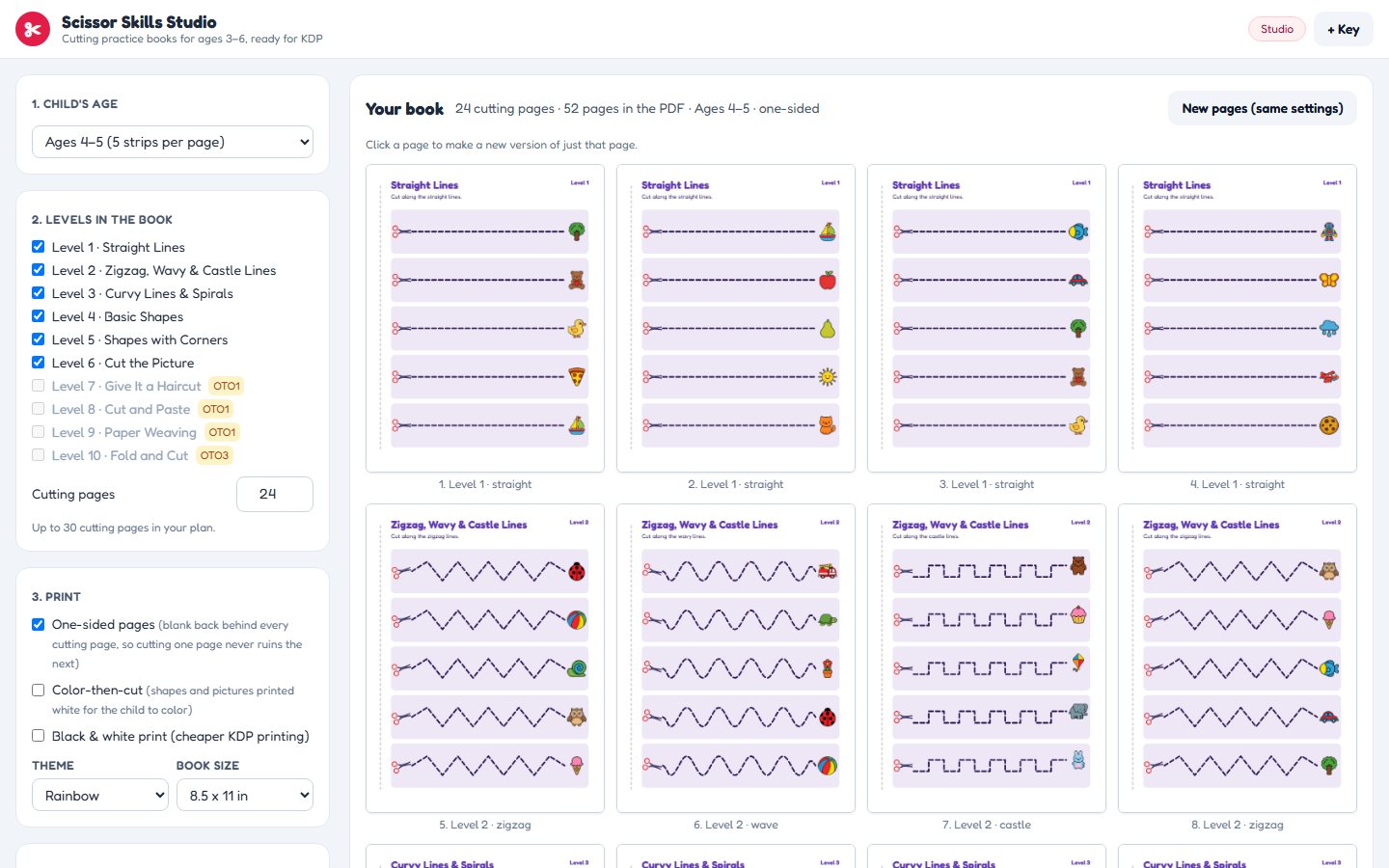
Under 1. Child’s age and 2. Levels in the book, pick the age, tick the levels and type how many cutting pages you want.
All pages appear on the right. Click any page to get a new version of it. Under 3. Print, choose one-sided pages, color-then-cut or black & white.
Under 4. Book type your title. Under 5. Export click Build interior PDF and Build KDP cover PDF.


A book can be rejected for small technical things: marks too close to the edge, fonts not embedded, blurry pictures, too few pages. The studio takes care of those. A few choices on the KDP form are yours.
Based on the Amazon KDP help pages for paperback submission, margins, covers, low-content books and AI content, checked November 2026. Platforms can change their rules; always check the KDP previewer before you publish. We are not affiliated with Amazon or Etsy.
Scissor skills books are activity books, not low-content books. Ticking it removes the free ISBN and the Look Inside preview.
All 152 library pictures (front end and upgrades) were made with AI (Google Gemini), and so are pictures you make with AI Picture Studio. On KDP answer Yes to AI-generated content → Images. Only your own drawings or photos do not count as AI.
With one-sided pages on, 24 cutting pages become a 52-page PDF. The cover spine is worked out from the real page count.
If your book would be shorter, the studio raises the number of cutting pages and tells you why.
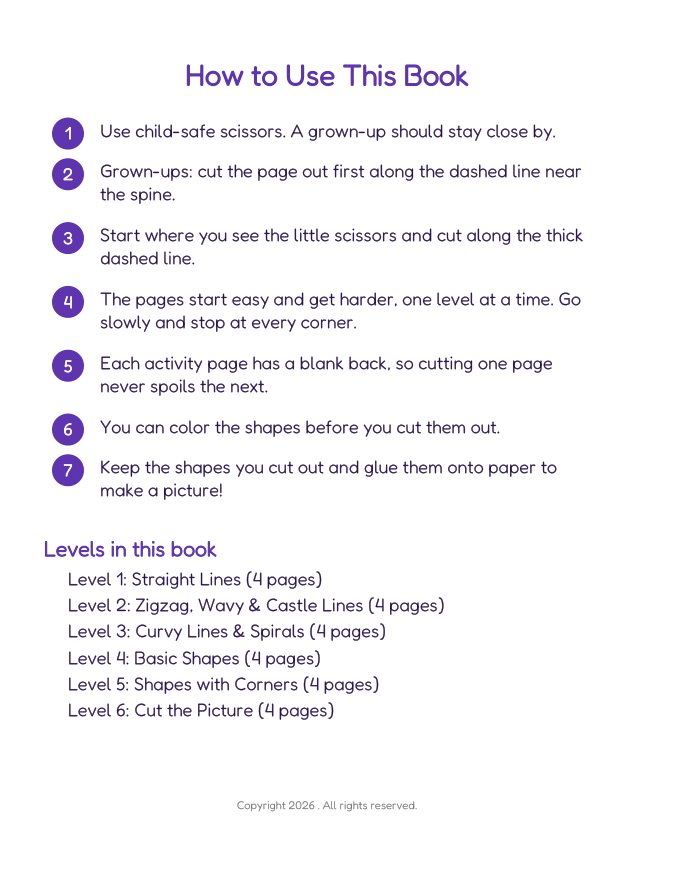
The “How to use this book” page reminds grown-ups to use child-safe scissors and stay close by. It is a reminder, not expert advice.
Order a proof copy and cut a few pages yourself before you publish. Check every page in the KDP previewer.
Straight lines → zigzag, wavy & castle lines → curves & spirals → basic shapes → shapes with corners → cut the picture. The level is printed on every page and the book is sorted for you.
Ages 3–4, 4–5 and 5–6 change the line thickness (5, 4 or 3.2 pt), the number of strips per page, the size of the waves and how many shapes share a page.
Every line is 3.2–5 pt thick (KDP needs at least 0.75 pt) with a little pair of scissors showing where to start.
Turn it on and every cutting page gets a blank back, so cutting one page never spoils the next one. Never two blank pages in a row.
A dashed line near the spine on every cutting page so a grown-up can take the page out. (KDP books are not perforated, and we say so.)
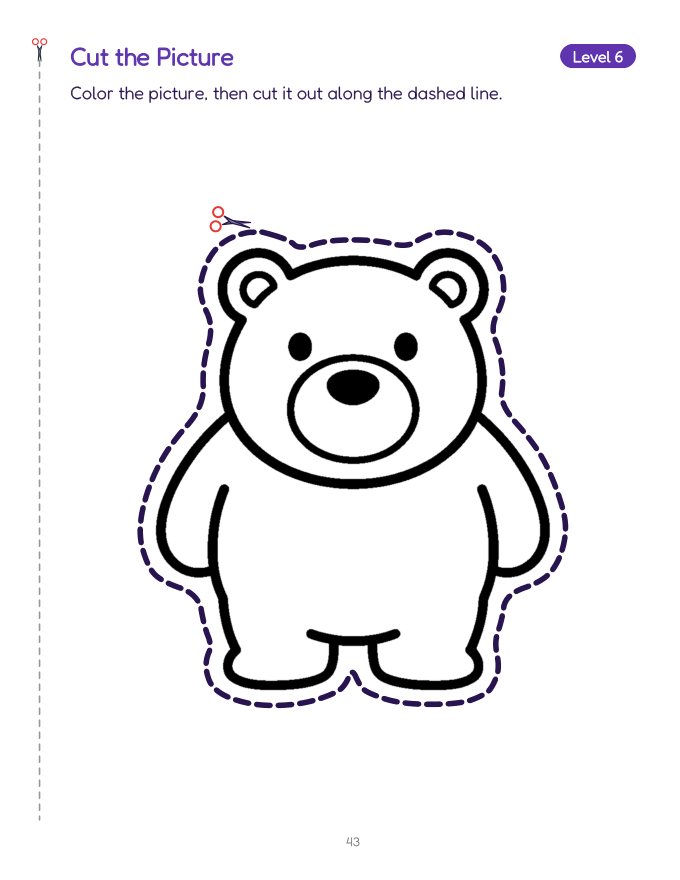
The studio draws a smooth, thick line around each picture, leaving out the tiny bits a child cannot cut.
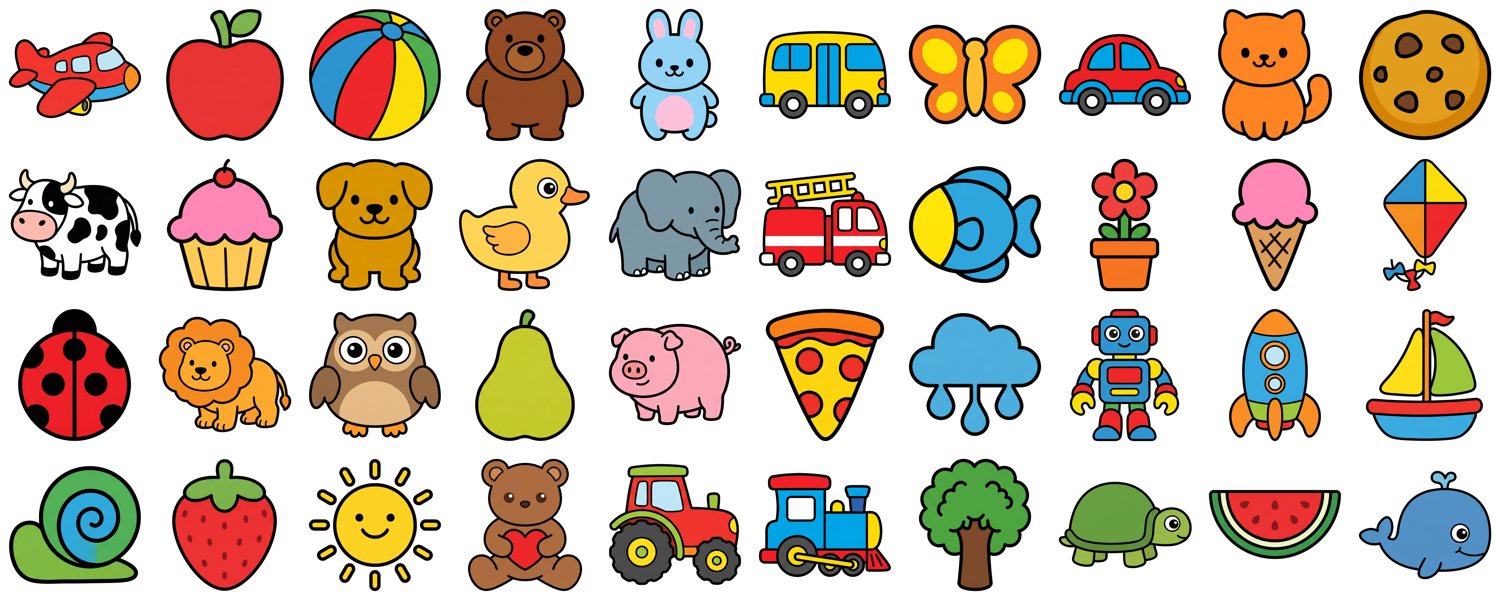
Animals, vehicles, food, toys and nature with bold outlines, made with AI (Google Gemini) for this studio.
11 basic shapes and 12 shapes with corners, with color-in details on houses, cars and buses.
Tick one box to print pictures and shapes as outlines for the child to color before cutting.
Black & white is the cheaper KDP paper option.
Layouts and picture order are new for every book. Click any page to get a new version of just that page.
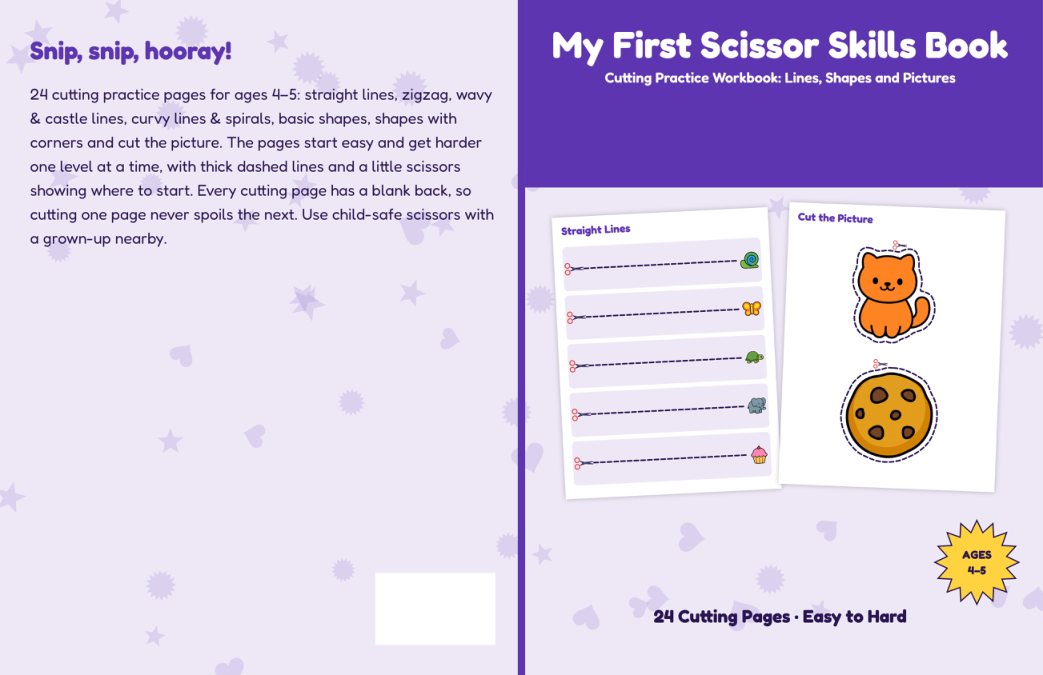
8.5 x 11 in interior PDF with embedded fonts, 300 ppi pictures, safe margins and an even page count, plus a full-wrap cover with spine and barcode area.
40 cartoon pictures with thick outlines and simple, chunky shapes a child can cut. Made with AI (Google Gemini): on KDP, mark the interior as AI-generated images.

| By hand in a design app | Ready-made interior | Scissor Skills Studio | |
|---|---|---|---|
| Dashed lines and shapes | Draw each one | Fixed set | Drawn for you, new every book |
| Cut line around pictures | Trace by hand | Fixed set | Made for every picture |
| Age setting | Redraw everything | One age | 3 ages (4 with Pro) |
| One-sided pages | Add blank pages yourself | Sometimes | One checkbox |
| Same book as other sellers | No | Often | No: new layouts every book |
| KDP interior + cover PDF | You design it | Interior only | Both, exported for you |
Ages 3–4, levels 1–4, thick lines, one-sided.
Color-then-cut pictures and shapes for ages 4–6.
Levels 1–3 with animal pictures at the strip ends, then cut-out animals.
Levels 4–5 only: a whole book of shapes to color and cut.
Cheaper printing, perfect for classrooms.
Spring, summer, fall and winter themes (holiday themes in an upgrade).
Add a scissor skills series without drawing every line.
Print a cutting book for your class at the right level.
A book made for one child, at their age.
Easy-to-hard practice with a certificate at the end.
Print-at-home formats come with the Agency & Etsy upgrade.
Turn your own AI pictures into cut-out pages (AI Picture Studio upgrade).
Made by the front end: 24 cutting pages for ages 4–5, one-sided, 52 pages in all, with the how-to page and a certificate.


You do not need any of them to make and publish books: the front end is complete. After checkout you will see these offers once; each is a one-time payment with its own 30-day money-back guarantee.
| Plan | What it adds | Price |
|---|---|---|
| Front end Scissor Skills Studio | Everything on this page: 6 levels, 3 ages, one-sided pages, 40 pictures, color-then-cut, KDP interior + cover PDF | $17 |
| OTO 1 Pro Modes | 3 new page types: Give It a Haircut (32 heads), Cut and Paste, Paper Weaving; ages 6–7; up to 120 cutting pages; 8.25 x 8.25 and 6 x 9 in sizes; 48 more pictures | $27 |
| OTO 2 AI Picture Studio | Make new cuttable pictures with your own AI key (180 prompts in 15 groups or your own idea), upload your own pictures, books from your own pictures only | $47 |
| OTO 3 Holiday & Fold-Cut | Fold and Cut pages (8 fold-in-half shapes + snowflakes), 32 holiday pictures, 12 holiday themes | $37 |
| OTO 4 Agency & Etsy | Print-at-home US Letter + A4 files (each under 20 MB for Etsy), 3 Etsy listing images, client publisher name, commercial license, 32 more pictures | $67 |
All prices in US dollars, one-time payments through WarriorPlus. No subscription.
WarriorPlus emails your receipt with the link to your access page.
Your access page shows your key and the Quick-Start Guide.
Click to open the studio in your browser. Your key is added for you.
Choose an age and build your first book. Questions? Email support.
From the first setting to the KDP upload, step by step (printable web guide).
Which pictures you can use and how to declare AI images.
Title and subtitle patterns, a description outline and keyword ideas for scissor skills books, without promises.
Try the studio for 30 days. If it does not work as described on this page, email support@antechflow.com and we will refund you. This covers the front end and each upgrade separately. See the refund policy.
No. You choose the age, the levels and the number of pages. The studio draws the lines, shapes, pictures, cut lines and the whole book.
The front end has settings for ages 3–4, 4–5 and 5–6. The Pro upgrade adds ages 6–7. Print a test copy and check it with your readers.
Every cutting page gets a blank back. When a child cuts a page, nothing on the next page is lost. You can turn it off.
No. Print-on-demand books like KDP paperbacks cannot be perforated. Each cutting page has a dashed “cut here first” line near the spine so a grown-up can take the page out.
The interior and cover follow KDP paperback rules: embedded fonts, pictures of 300 ppi or more, every mark at least 0.28 in from the edge, a wider inside margin, an even page count and at least 24 pages. Always check your files in the KDP previewer before publishing.
Yes. Every library picture, in the front end and in the upgrades, was made with AI (Google Gemini), and pictures you make with AI Picture Studio are AI images too. Answer Yes to AI-generated images when you publish. Your own uploaded drawings or photos are not AI images.
No two books come out the same: layouts, line shapes and picture order are new for every book, and you can redo any page. With the AI upgrade you can make books from your own pictures only.
Yes, under your own name, for example as paperbacks on Amazon KDP. Selling the studio itself, or its pictures on their own, is not allowed. Printable download formats and making books for clients come with the Agency & Etsy upgrade.
With the Agency & Etsy upgrade, yes. Etsy asks that digital items are designed by you, so build Etsy items from your own pictures (AI Picture Studio or your uploads) and say in the listing that AI was used. Each file stays under 20 MB.
A desktop or laptop with a recent Chrome, Edge or Firefox browser. Nothing to install. Windows, Mac and Chromebook. Phones are too small for editing.
No. Books are made inside your own browser. Only your access key is checked online.
The studio makes the pages as soon as you choose your settings. Building the PDF of a 24-page book takes a few seconds on a normal laptop. Most of your time goes into your title and checking the pages.
As many as you like. Each book holds up to 30 cutting pages in the front end (120 with the Pro upgrade).
No. It is a tool for making cutting practice activity books. We make no educational, developmental or therapy claims, and you should not make them in your listings either.
No. The front end is a one-time payment of $17. Upgrades are optional.
Email support first and we will help. If it still does not work as described, you get a refund within 30 days.
No. We make no earnings claims. Results depend on your book ideas, listings and marketing. See the earnings disclaimer.
No. It is an independent tool and is not affiliated with Amazon or Etsy.
Earnings disclaimer: We do not make earnings claims. Scissor Skills Studio is a software tool that helps you make activity books. Any results depend on your own work, market conditions and many factors outside our control. See the full earnings disclaimer.