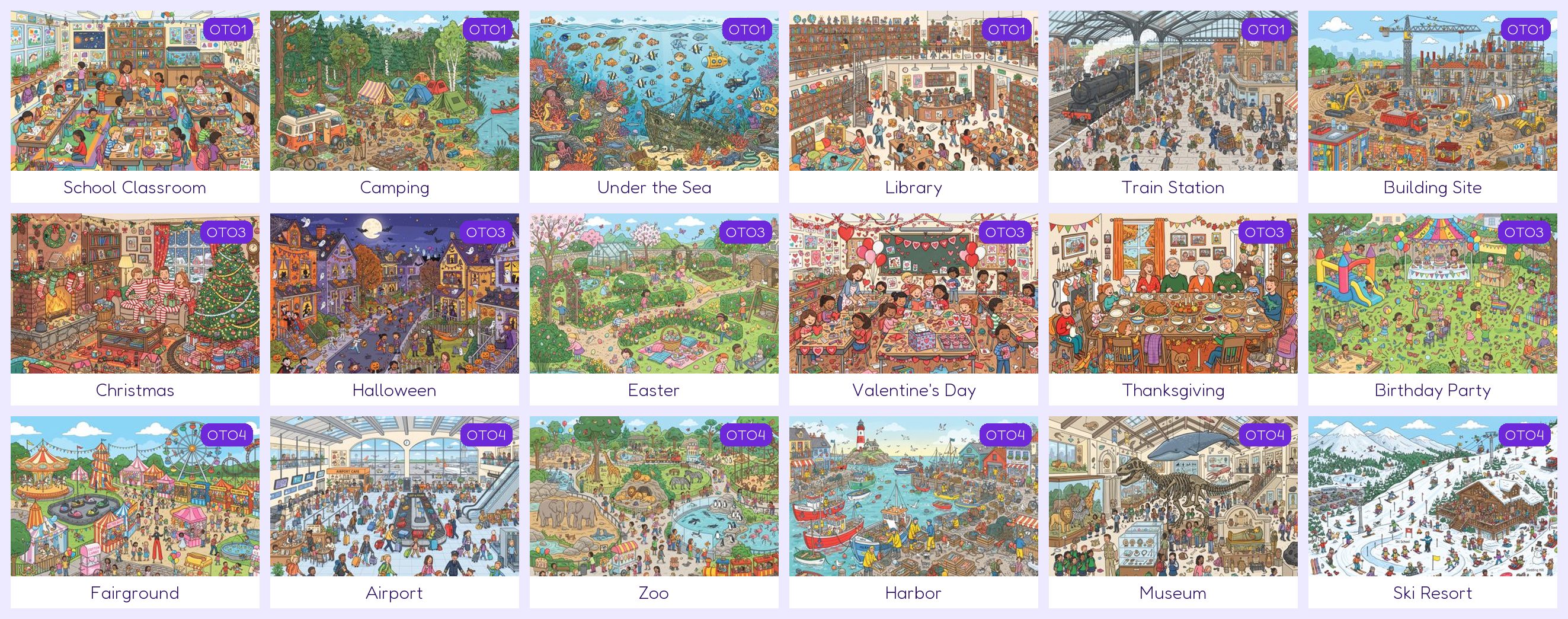
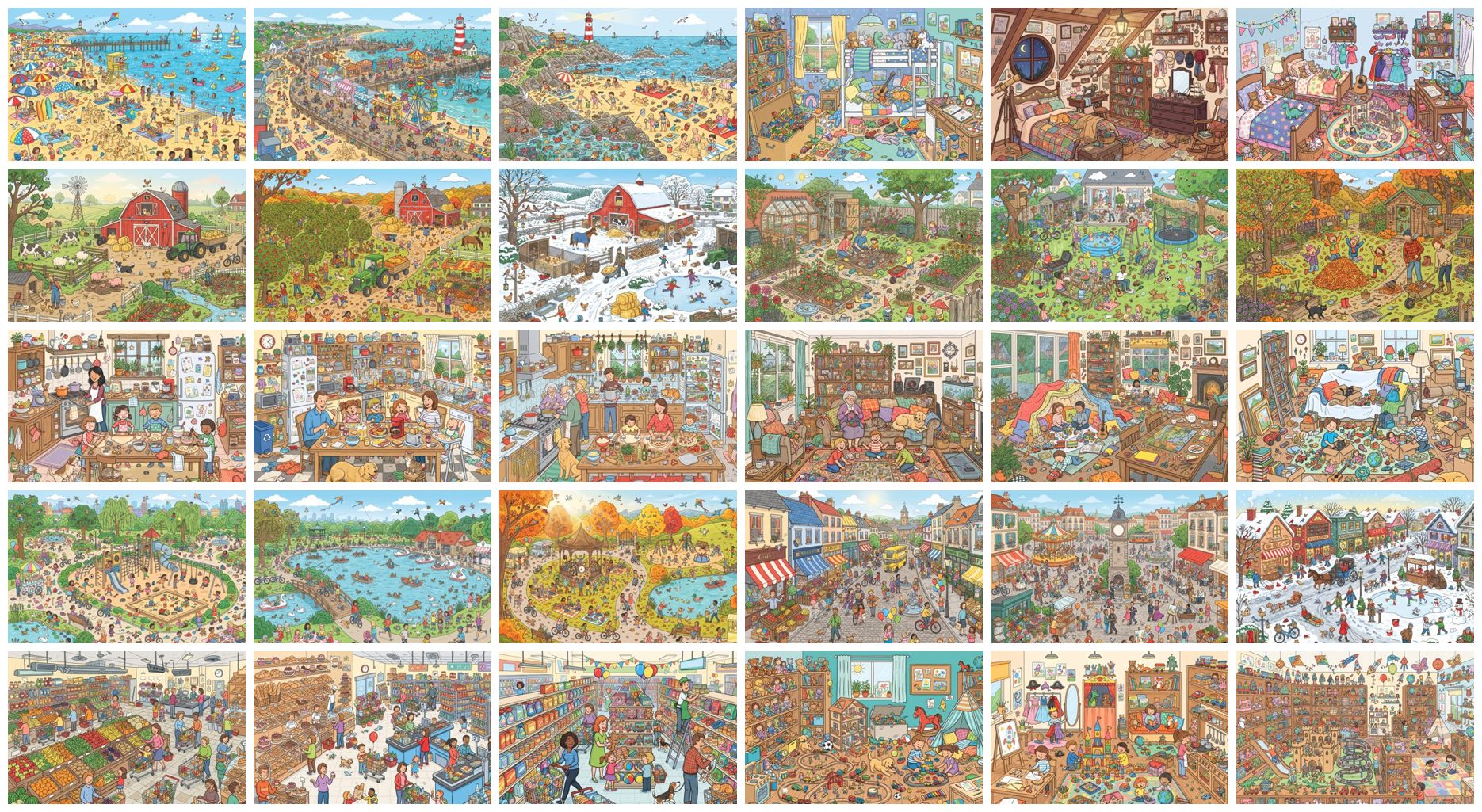
Pick a picture. Get a seek-and-find puzzle book.
Seek & Find Studio turns busy cartoon pictures into two kinds of puzzle pages: Find the Pieces and Hidden Pictures you can color. It checks every piece, circles every answer, sorts your book from easy to hard and exports a large-print KDP interior and cover.
Kids 4–6Kids 6–9Kids 9–12Teens & adultsSeniors (large print)
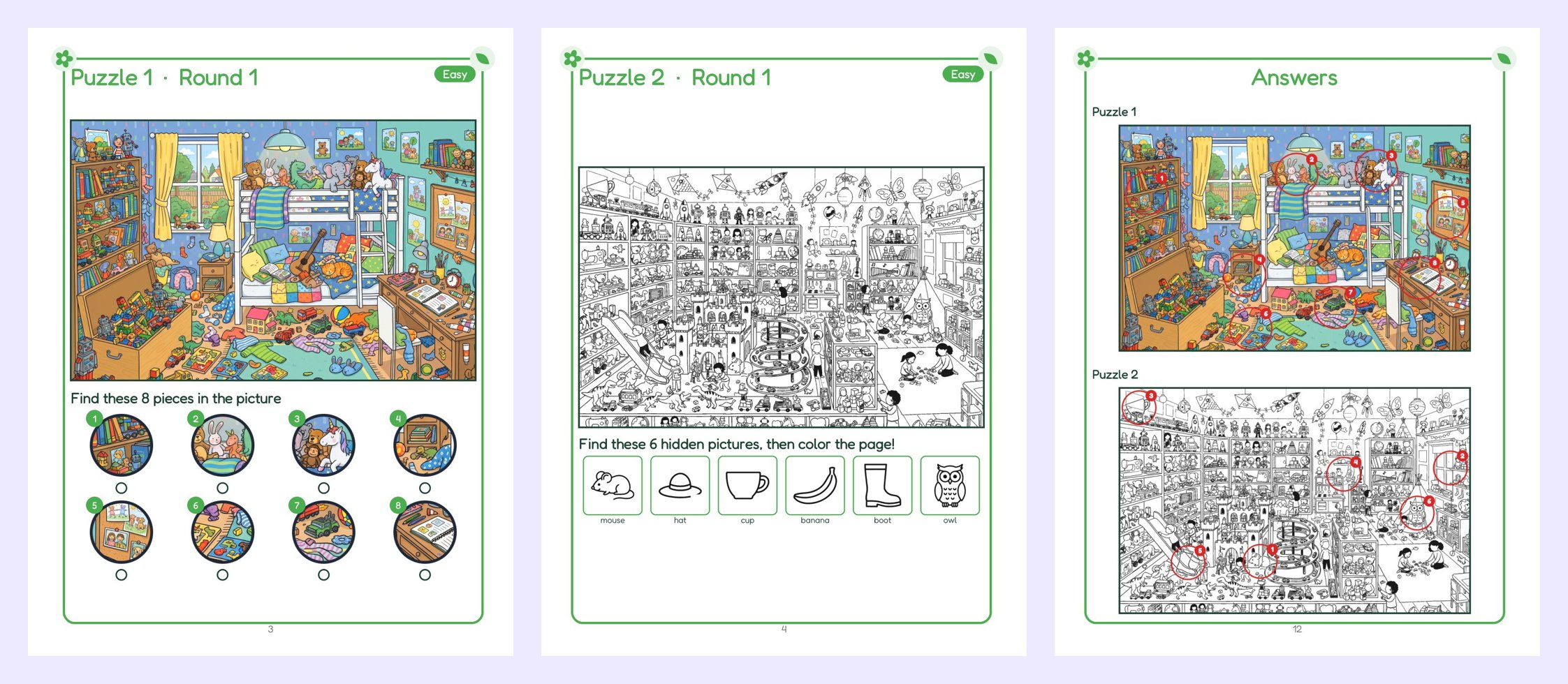
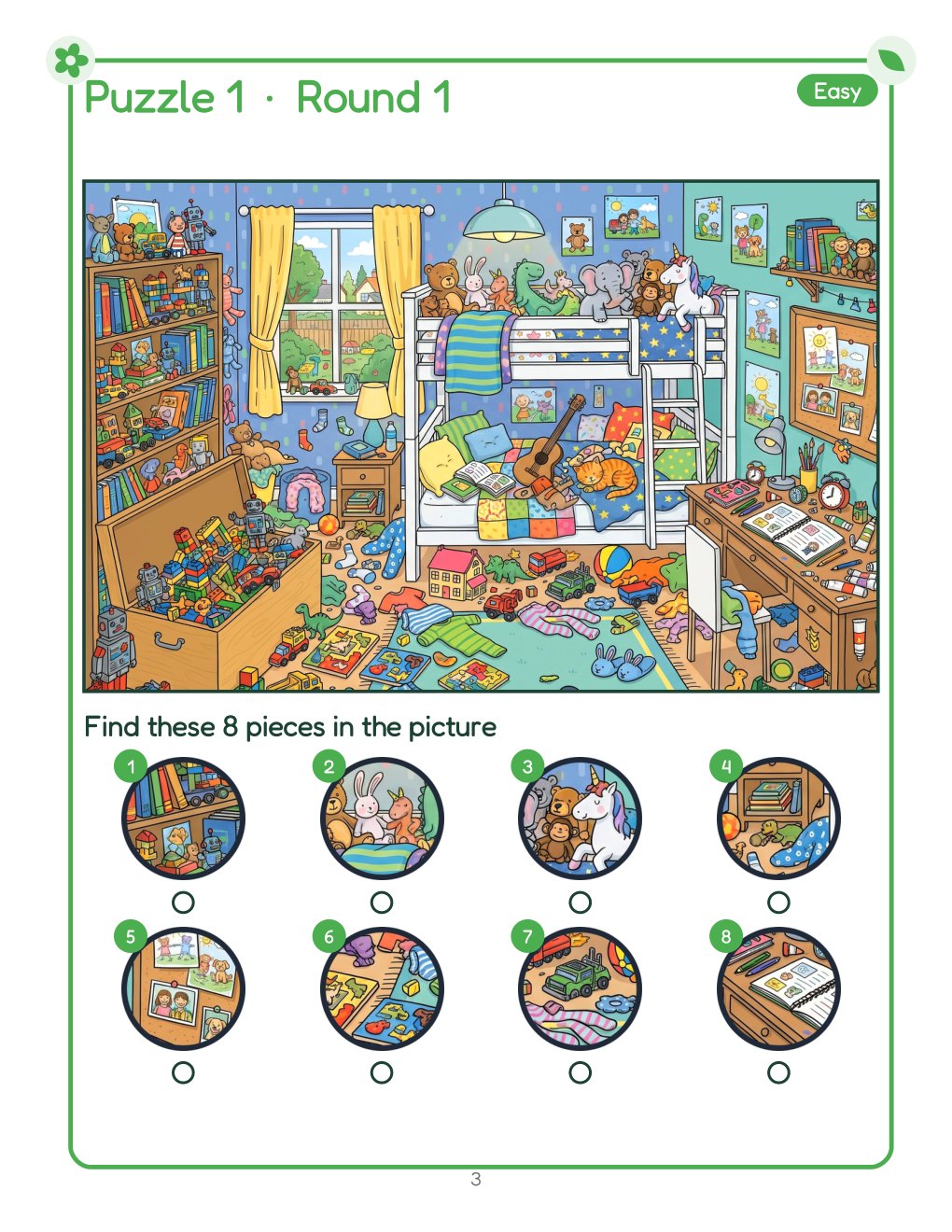
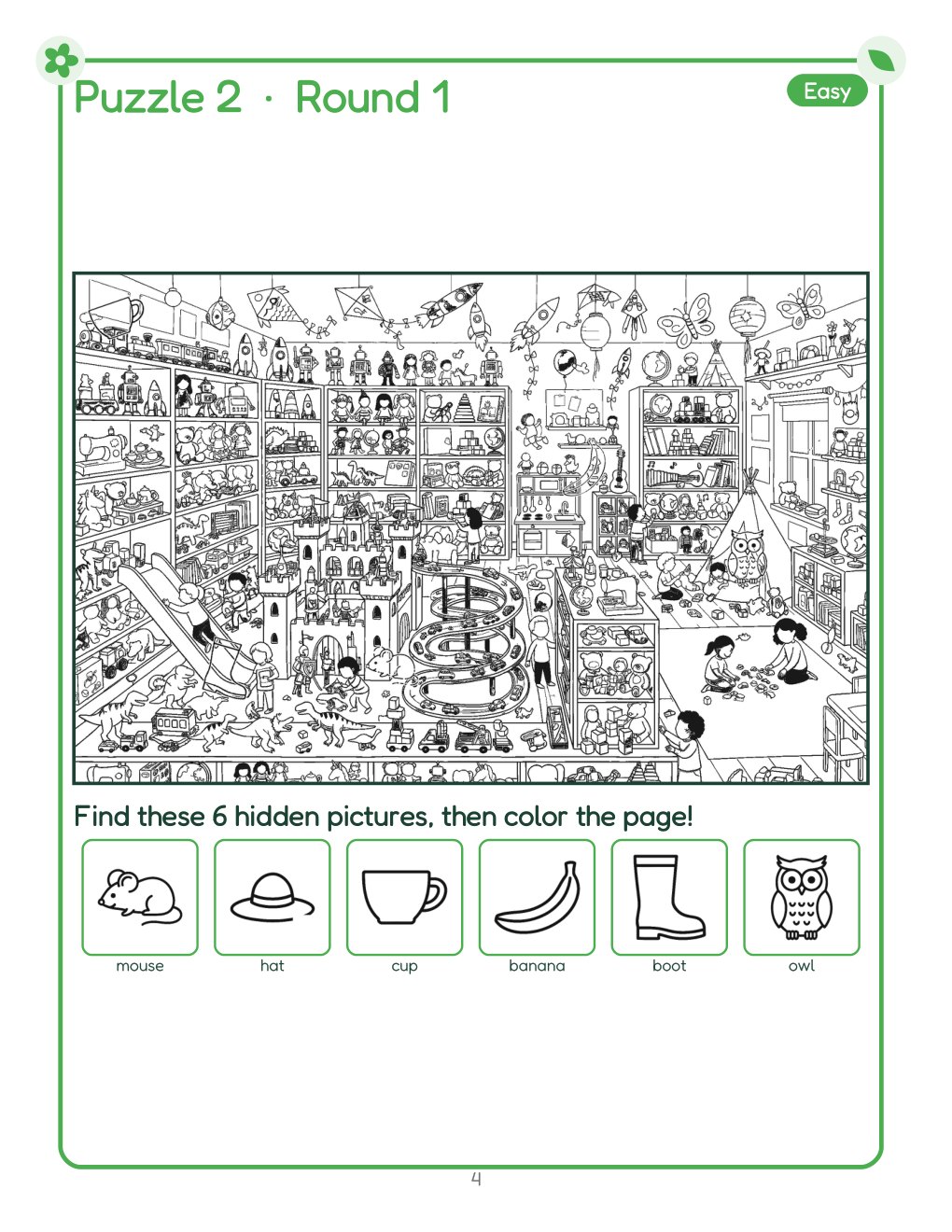
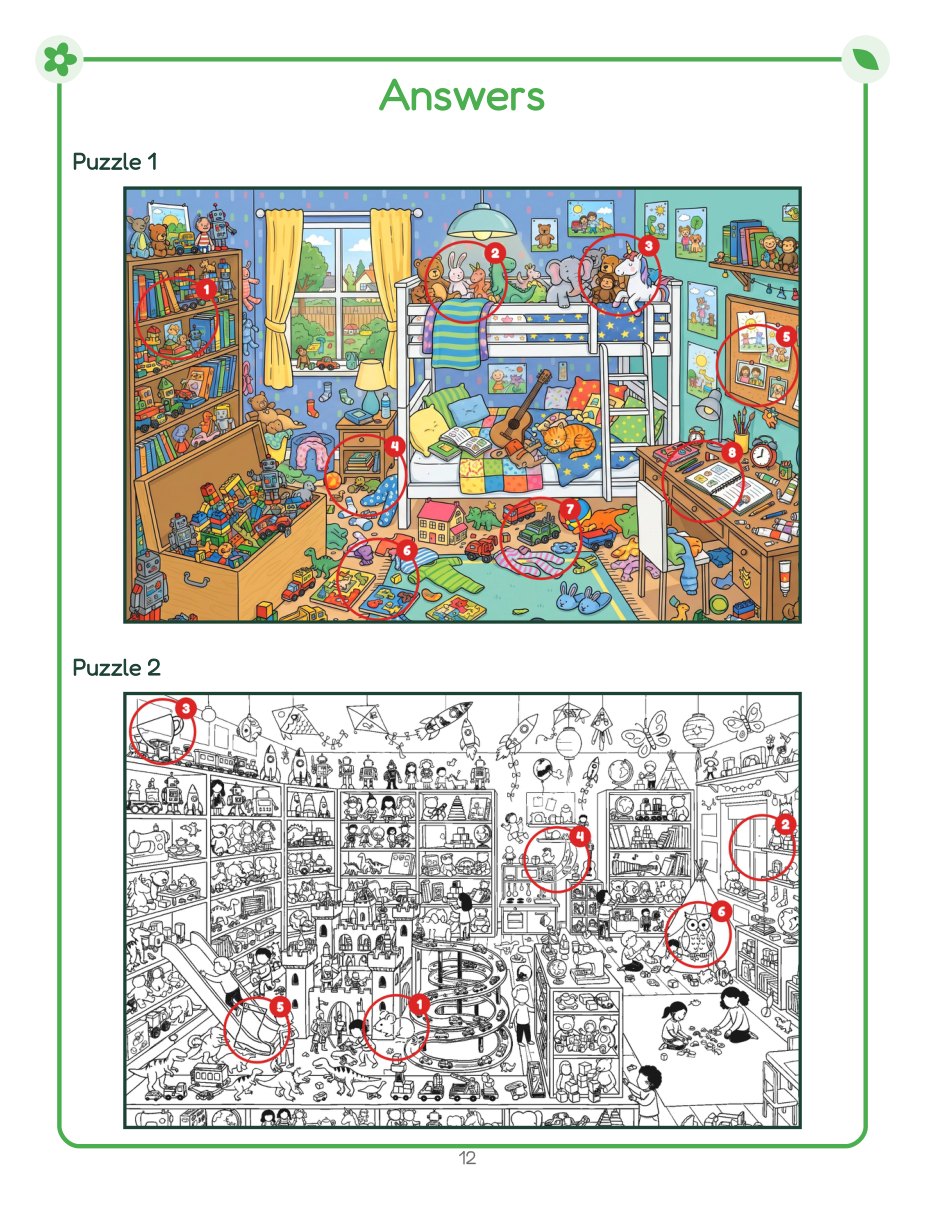
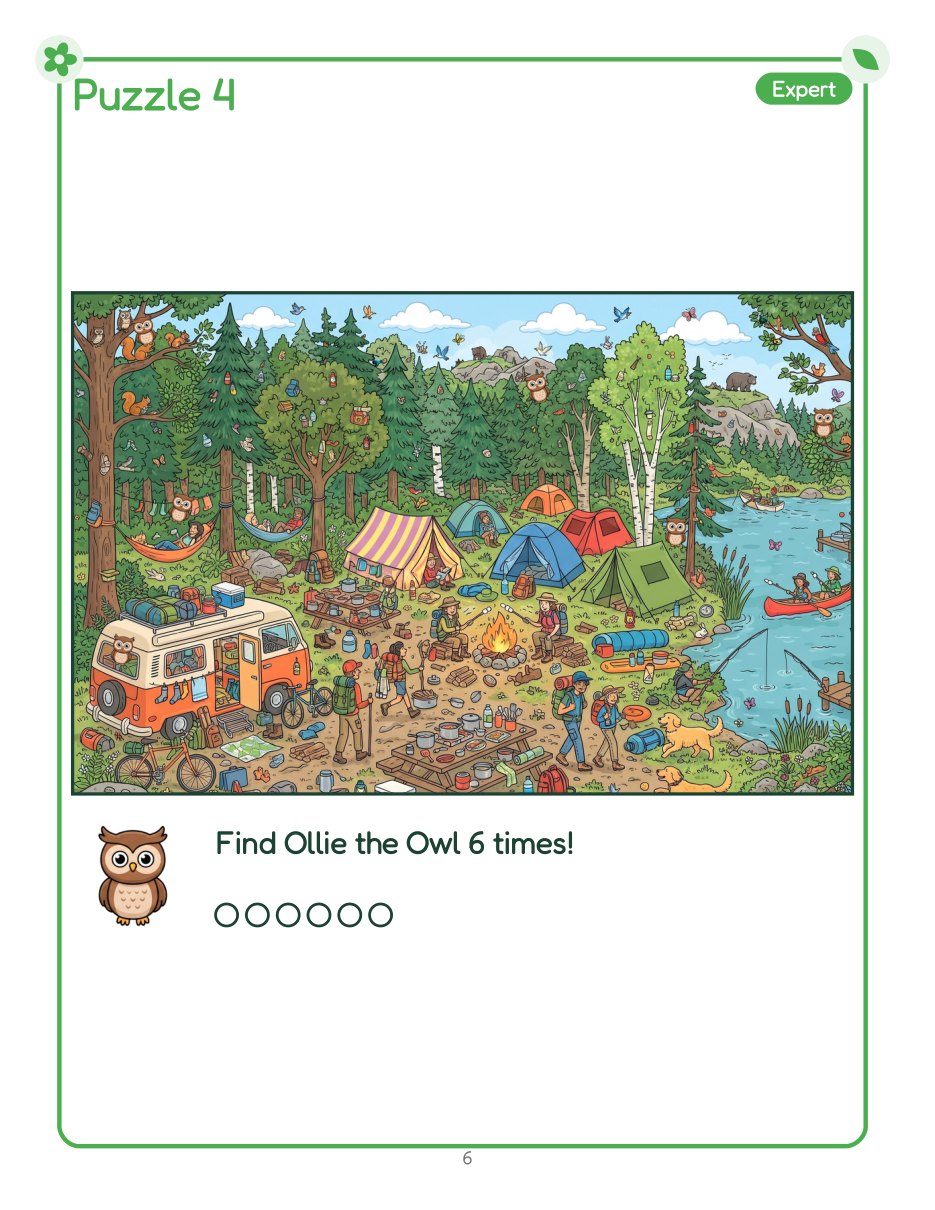
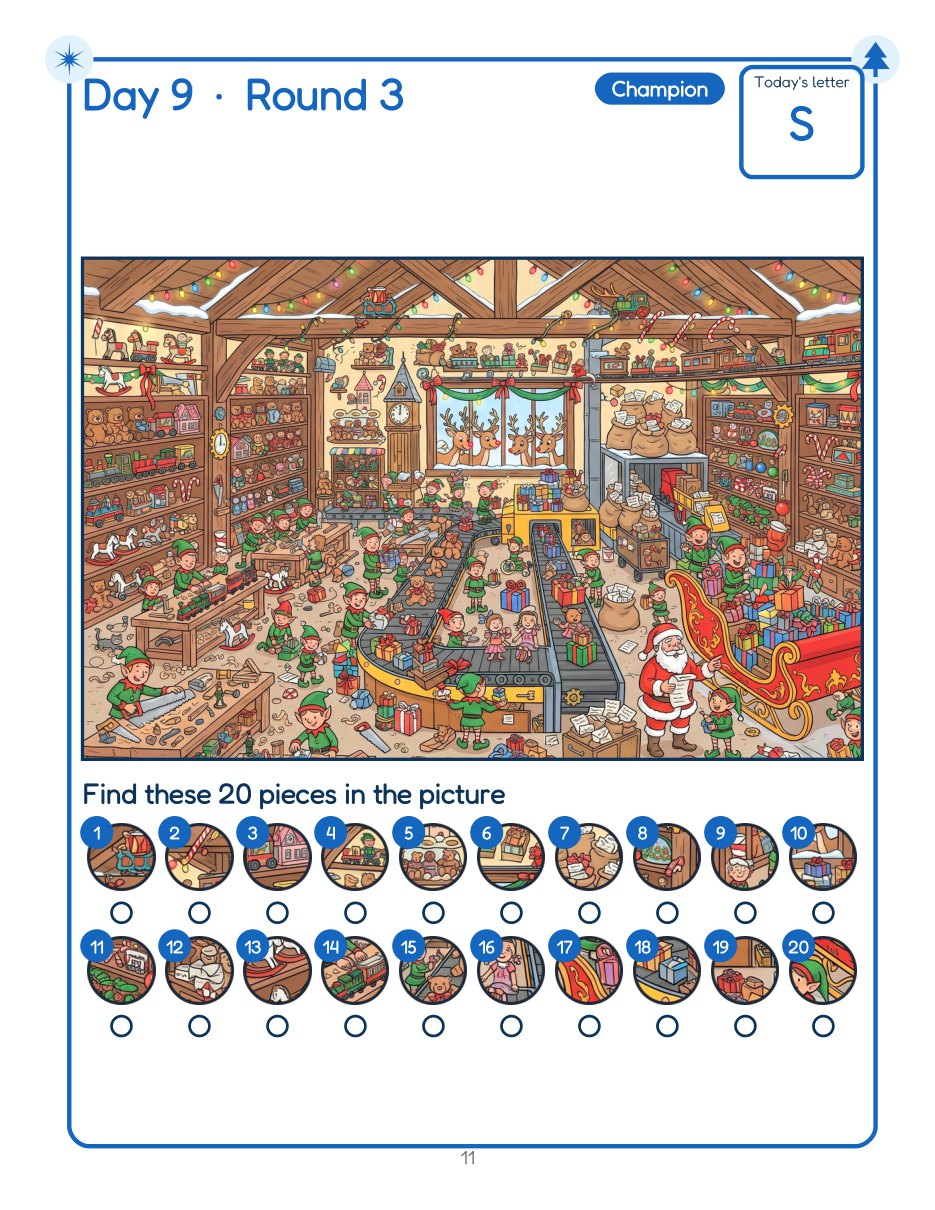
Real pages from the free sample book, exported by the front end. Nothing was edited afterwards.
▶ Watch the 1-minute demo · ▶ Watch a full 30-puzzle book being made · Download a free sample book (PDF) · See more examples
A web app for making seek-and-find activity books. You choose busy pictures; it makes the puzzle pages (pieces to find, or objects hidden in a line drawing), the answer key and a large-print book you can upload to Amazon KDP as a paperback.
Perfect for: KDP activity and puzzle book publishers · people making large-print books for seniors · parents, grandparents and teachers · anyone who can click a picture and type a title.
It is 9 p.m. You have a lovely busy picture of a kitchen. Now you need to cut eight little circles out of it, make sure each one is easy to see but not too easy, check that none of them looks like another spot, number them, and draw the answer circles. Then do it again for 29 more pages.
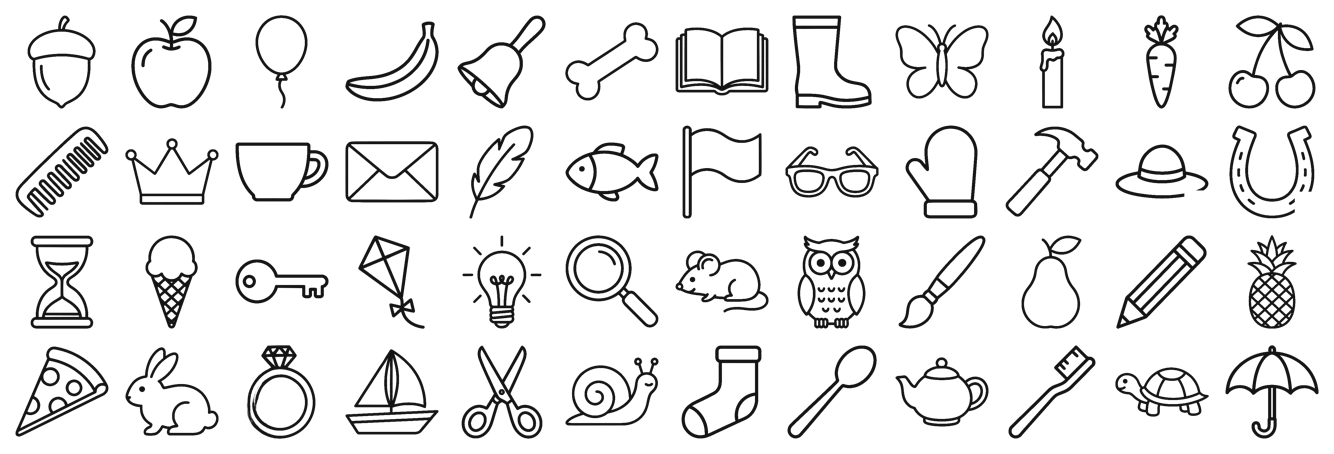
Or you want a Hidden Pictures page. You trace the picture into a line drawing, draw a cup, a key and a sock into it so they blend in, and draw the “find these” list below.
That is the part this studio does for you. You pick the pictures. A few minutes later you are paging through a finished book.
Recorded in the real studio, front-end plan: choose pictures, see the puzzle and answers, make a new puzzle, switch to Hidden Pictures and build the PDF.
Try them. Can you find every piece before you look at the answers?


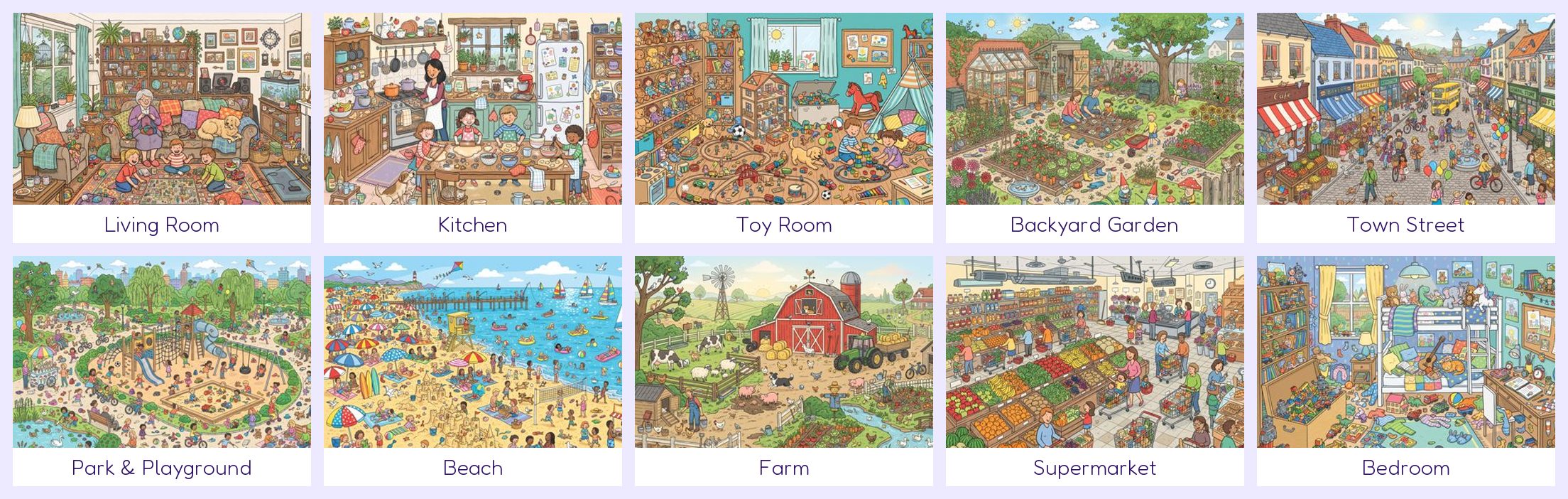
Everyday places kids and grown-ups know, each packed with small things to find. Every theme has 3 different busy pictures, and every picture works in both puzzle styles.

School, camping and under the sea (Unlimited Pro) · Christmas, Halloween, Easter and more holidays (Holiday & Countdown) · fairground, zoo, airport and more (Agency & Etsy).


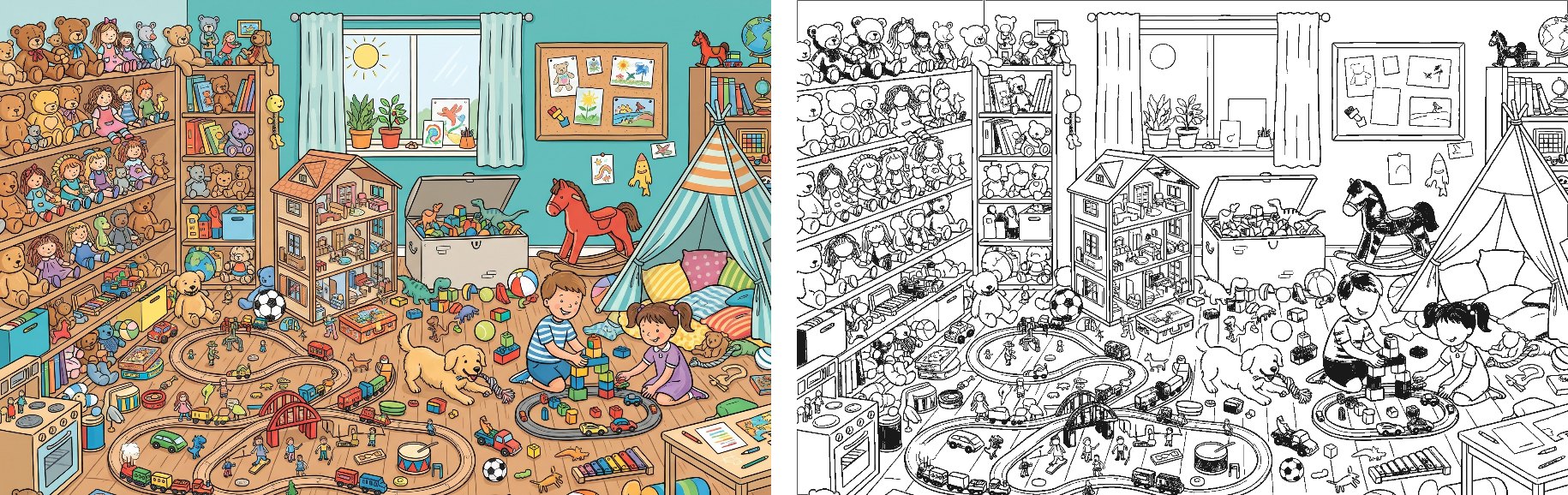
For Hidden Pictures, the studio turns the colour picture into a clean black-and-white line drawing, then hides the objects in it with the same line thickness.

“Too hard for my child” / “too easy”
Studio answer: a clear level on every page, and the book goes from easy to hard. 3 rounds let one picture grow harder step by step.
“The pictures are not clear”
Studio answer: bright, bold-outlined pictures, a picture fixer, and pieces that skip plain or blurry areas.
“Finished each page in a minute”
Studio answer: more to find per page, 2 styles, and up to 3 rounds per picture.
Summary of the themes we read in customer review summaries of popular hidden-picture and seek-and-find books on Amazon (November 2026).
Choose Find the Pieces, Hidden Pictures or a Mix. Click pictures in the library, or type how many you want and click “+ Add pictures from library”.
See the answers circled, hide them to play it yourself, change the level or style, or click “New puzzle, same picture”.
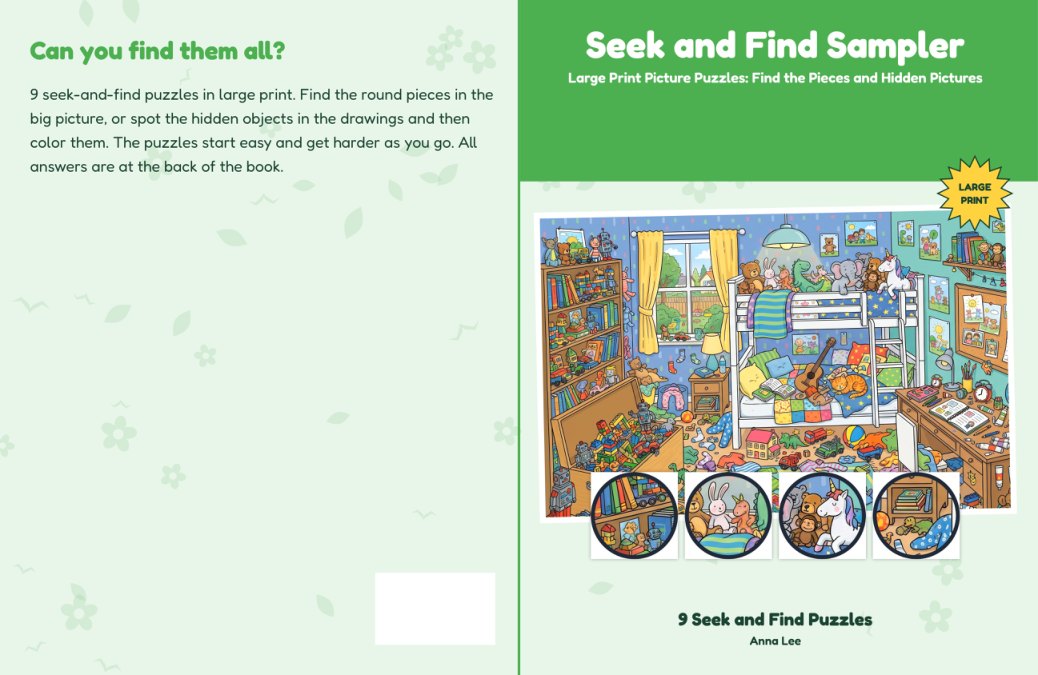
Type your title, then download the interior PDF (puzzles + answers) and the full-wrap cover PDF.
Screenshots of the real studio (front-end plan). This is the whole job.
Step 1
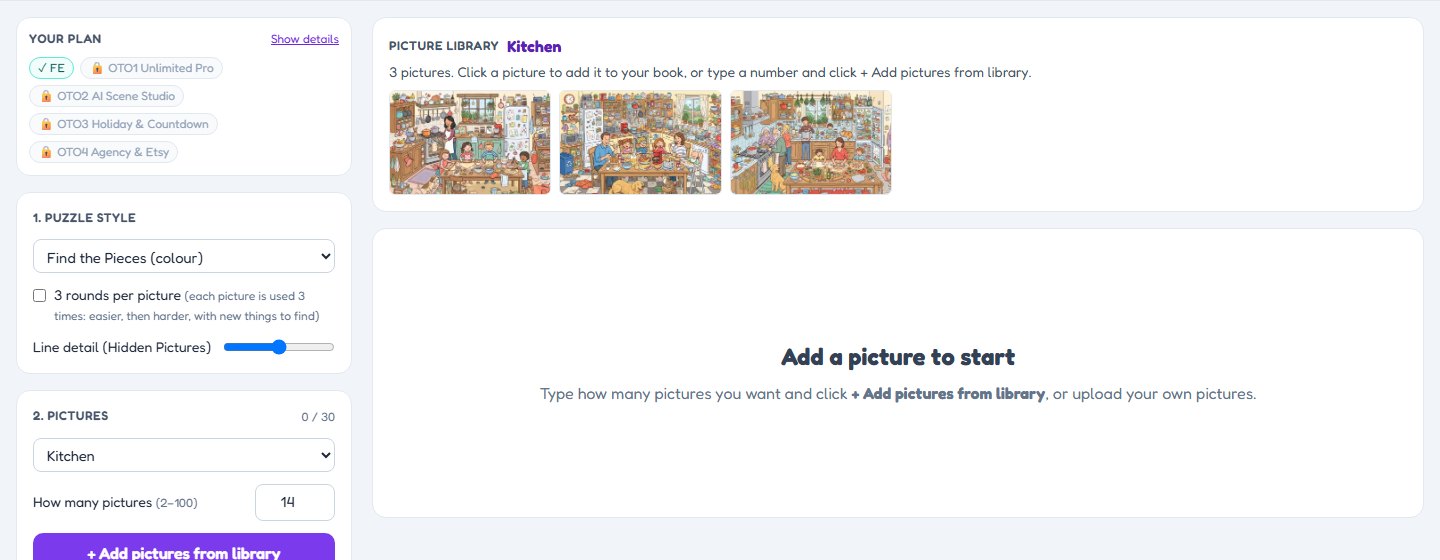
Under 2. Pictures, choose “Kitchen”, “Beach” or “All FE pictures”. The pictures appear in the Picture library. Click one to add it, or type a number (2–100) and click + Add pictures from library.

Step 2
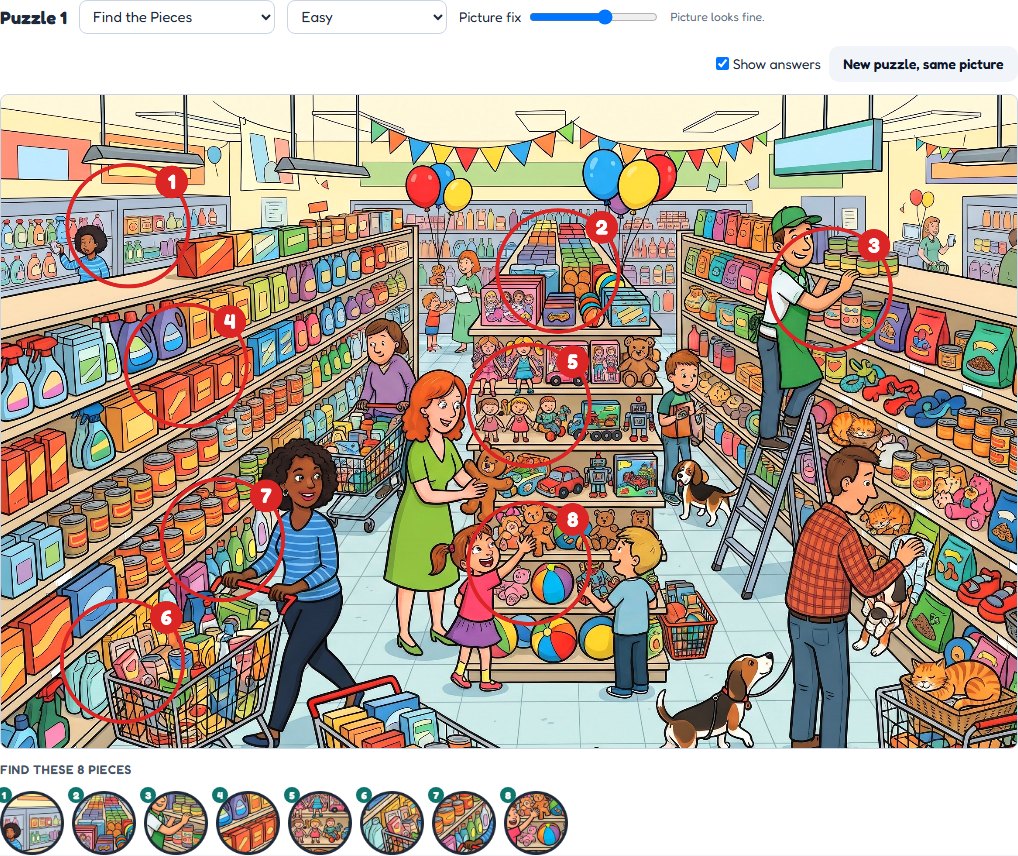
Click a picture in your list. Red circles show where every piece is; the pieces to find are under the picture. Untick Show answers to try it yourself. Click New puzzle, same picture for new pieces.

Step 3
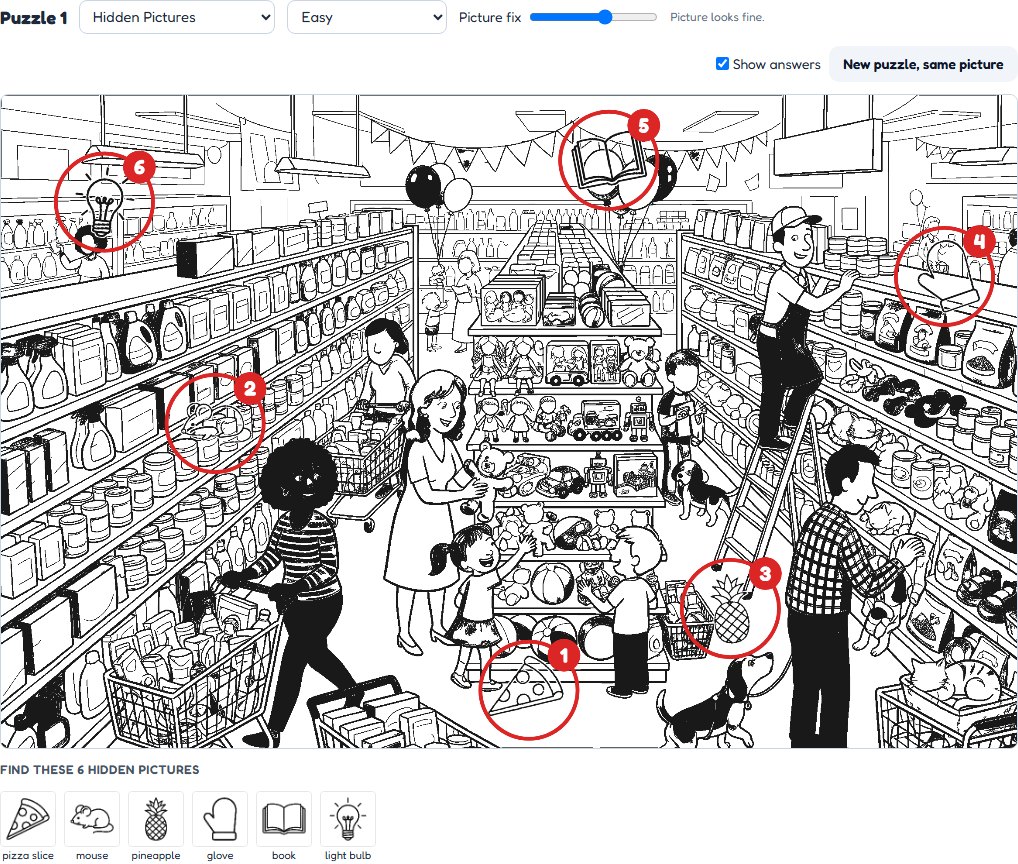
Choose Hidden Pictures above the picture. The studio makes a line drawing and hides small objects in it. The list of objects to find is shown below.

Step 4
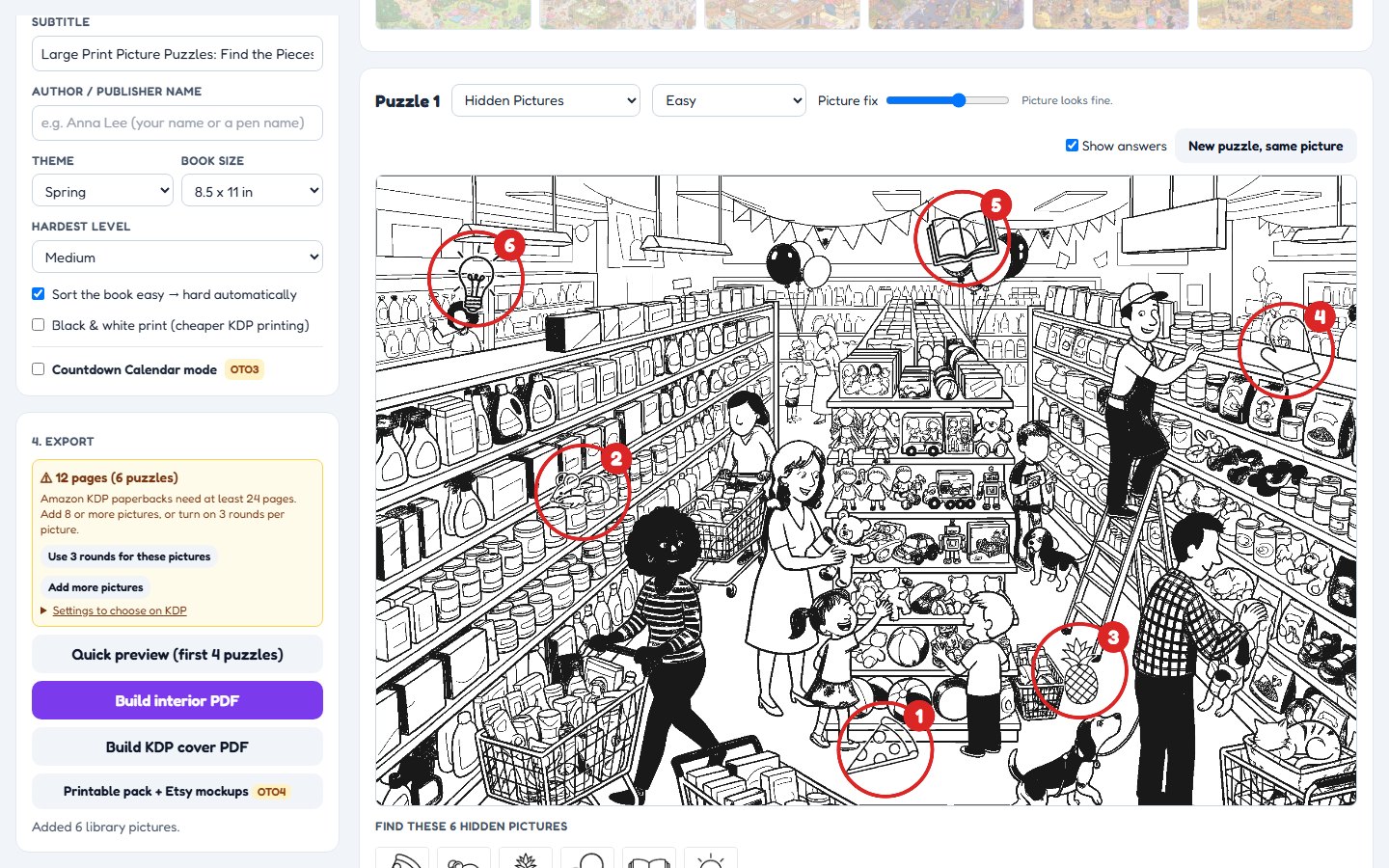
Under 3. Book, type your title and author name and pick a theme. Under 4. Export, click Build interior PDF, then Build KDP cover PDF (it uses the page count for the spine).

Buyer demo · front-end plan
We played a buyer: 10 home pictures, 3 rounds each, both puzzle styles. The video goes from an empty studio to the two files you upload to KDP (about 3 minutes).
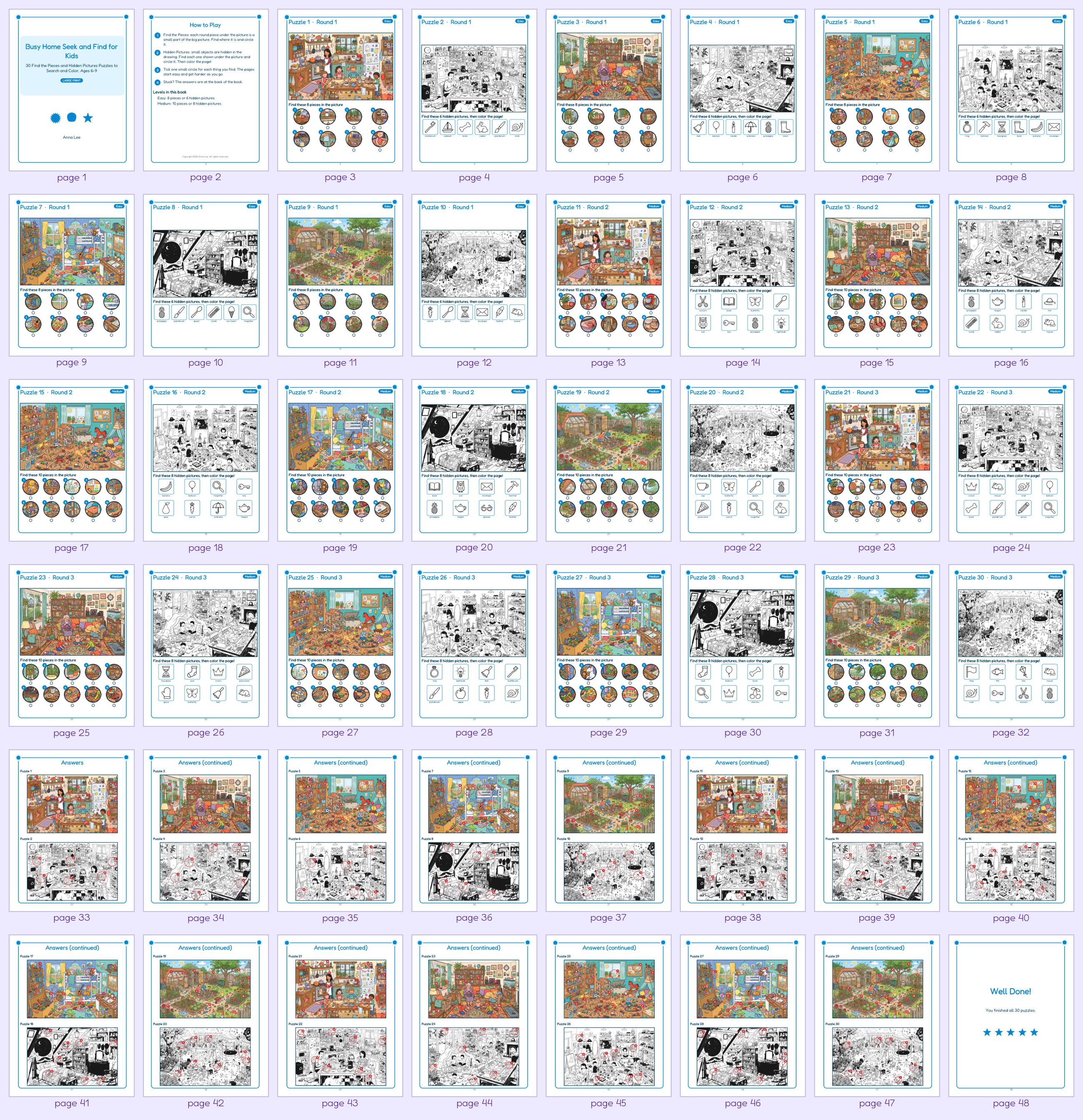
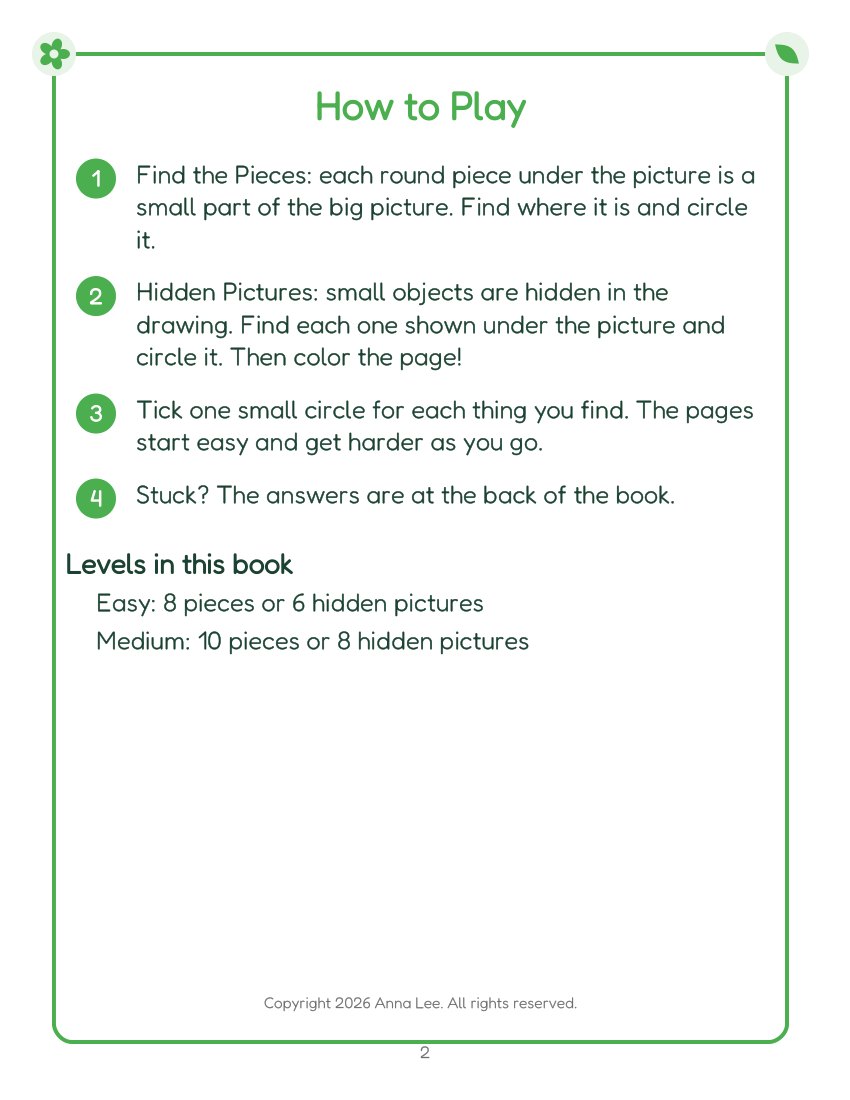
The interior from the demo above, every page in order: title page, how to play, 30 puzzles from easy to harder, the answer pages and a “Well done” page.


A book can be rejected for small technical things: text too close to the edge, fonts not embedded, blurry pictures, too few pages. The studio takes care of those. A few choices on the KDP form are yours, and the studio tells you exactly what to pick.
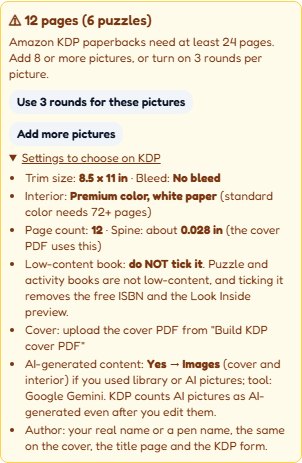
Under 4. Export the studio shows your page count, warns when the book is under 24 pages (with a button to fix it), and lists the settings to choose on KDP for this book: trim, bleed, paper, spine, Low-content and AI answers.

Based on the Amazon KDP help pages for paperback submission, margins, covers, low-content books and AI content, and Etsy’s digital-item rules, checked November 2026. Platforms can change their rules; always check the KDP previewer before you publish. We are not affiliated with Amazon or Etsy.
The questions people ask in the first five minutes, answered before you ask.
Puzzle and activity books are not low-content books. If you tick it, KDP gives no free ISBN and no Look Inside preview.
The library pictures were made with AI (Google Gemini). On KDP answer Yes to AI-generated content → Images (interior, and the cover if it uses them). KDP counts AI pictures as AI-generated even after you edit them.
Use the same name on the cover, the title page and the KDP form. A pen name is fine; a keyword such as “Kids Puzzle Books” is not a good author name.
The interior PDF has embedded fonts, pictures of 300 ppi or more, every line and page number at least 0.25 in from the edge, and an even page count (a blank last page is added when needed).
In 2. Pictures, choosing “Kitchen” or “All FE pictures” shows those pictures in the Picture library panel. Nothing goes into your book until you click a picture (adds that one) or click + Add pictures from library (adds the number you typed).
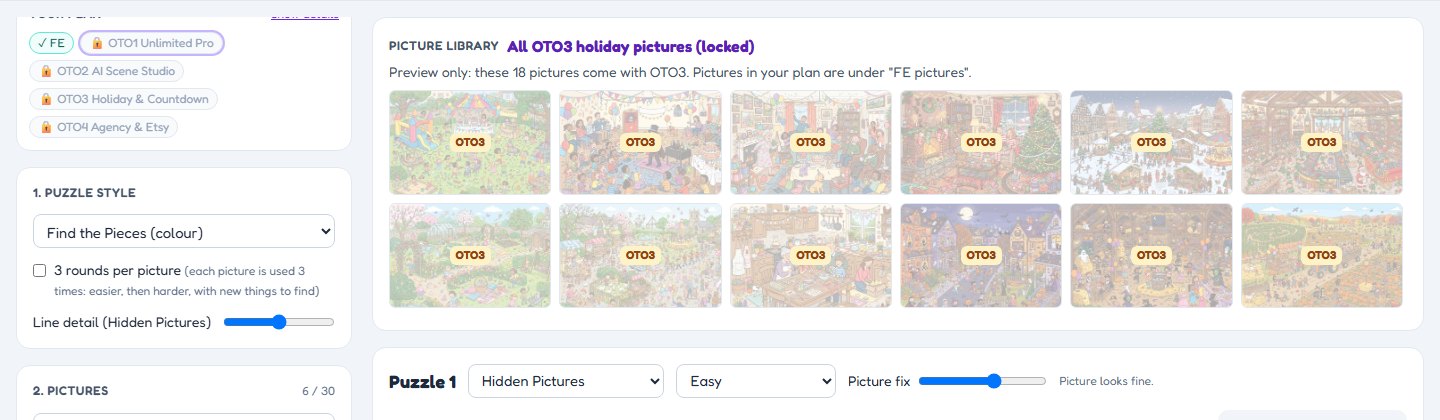
The small labels FE, OTO1, OTO3, OTO4 at the top show that plan’s pictures in the library panel. Pictures from a plan you do not own are shown faded as a preview, with the plan’s name on them.
It is a tool to make new pictures with your own AI key, so its label opens the AI tool instead of a picture list.
Untick Show answers to hide the red circles. Click New puzzle, same picture for a fresh set of pieces or hidden objects.
Change any page between Find the Pieces and Hidden Pictures with the menu above the picture.
Under 4. Export the studio counts your pages. KDP paperbacks need at least 24 pages: if your book is shorter, it says so and offers Use 3 rounds for these pictures. Open Settings to choose on KDP for the trim size, bleed, paper and spine to pick.
Click Quick preview to see the first 4 puzzles as a real PDF (title page, how to play, puzzles, answers) without downloading the whole book.
Tick Black & white print for the cheaper KDP paper option. Hidden Pictures pages are black and white anyway.
Clicking the OTO3 label in the front end: holiday pictures shown faded as a preview, with the plan name.
The studio does not lock you to one age. Pick the style and level for your readers. A starting guide:
| Readers | Try this |
|---|---|
| Kids 4–6 | Easy, Hidden Pictures with a few objects, bright colour pictures. Upgrade idea: Find the Mascot (OTO1). |
| Kids 6–9 | Easy → Medium, Hidden Pictures (find, then color), or a Mix of both styles. |
| Kids 9–12 | Medium with the 3-rounds option. Harder levels with Unlimited Pro. |
| Teens and adults | Medium and up; Expert to Legend levels (upgrades) have up to 24 small pieces, some turned around. |
| Seniors (large print) | Easy → Medium, Find the Pieces in colour. Large print is built in. |
A guide, not a rule. Print a test copy and check it with your readers.
Find the Pieces: round pieces cut from a busy colour picture, the reader finds where each one is. Hidden Pictures: small objects hidden in a black-and-white drawing, then the reader colors the page.
Each piece is checked against the whole picture, so it cannot be "found" in two places. Plain patches of sky or wall are skipped.
Hidden Pictures turns any colour picture into a clean black-and-white line drawing, like a coloring page. A slider sets how much detail it keeps.
Cup, key, sock, kite, snail, teapot, crown and more, drawn in the same line style so they blend into the drawing.
10 kinds of scene x 3: living room, kitchen, toy room, garden, town street, park, beach, farm, supermarket, bedroom. Made with AI (Google Gemini).
Use one picture 3 times: Round 1 easier, Round 3 harder, with new things to find each time. More play per picture, not repeated pages.
Easy: 8 pieces or 6 hidden objects. Medium: 10 pieces or 8 objects. Turn on "sort easy to hard" and the book is ordered for you.
Numbered red circles on every answer page, at the back of the book.
Brightens dull pictures before the puzzle is made, because unclear pictures are a common complaint about these books.
Big headings, 18 pt instructions, thick frames and a tick circle for every item to find.
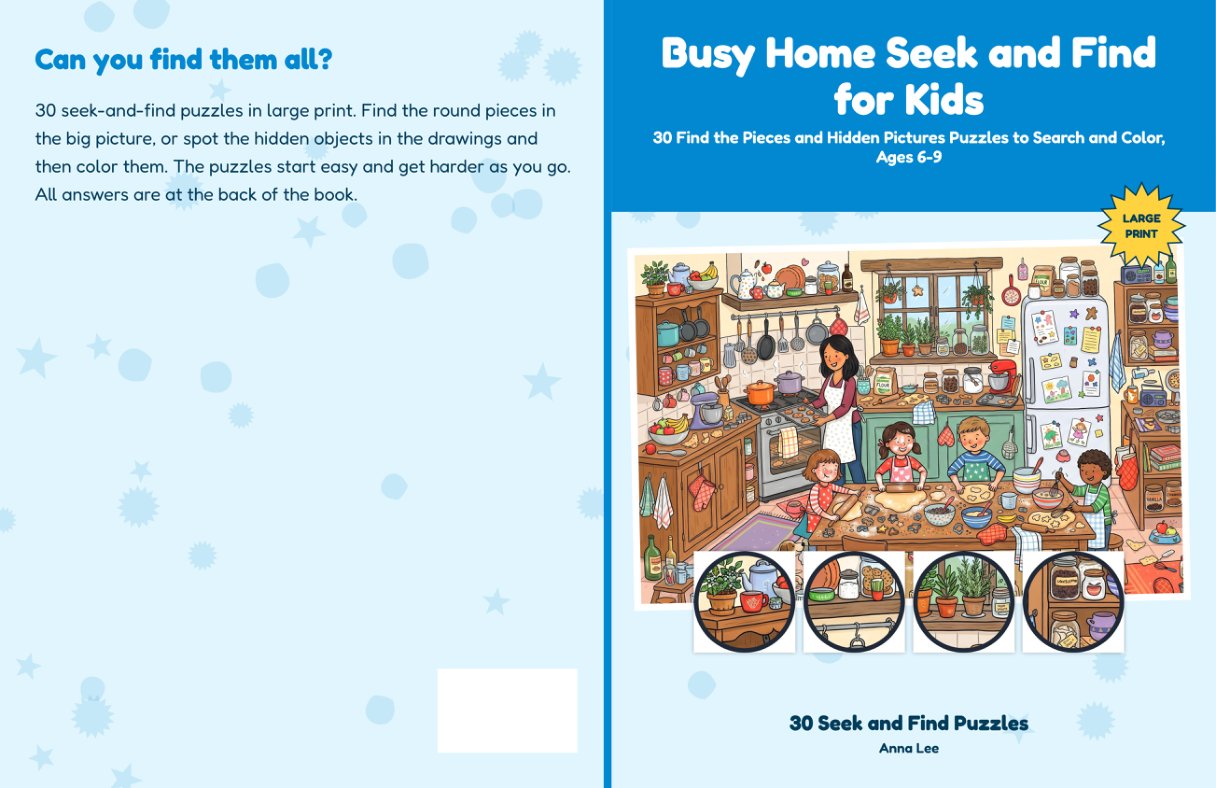
8.5 x 11 in interior PDF and a full-wrap paperback cover PDF with spine and barcode area. Colour or black & white.
Make as many books as you like. One-time payment, no monthly fee.
30 busy cartoon pictures with hundreds of small things in each. Made with AI (Google Gemini): on KDP, mark the interior as AI-generated images.


| By hand in a photo editor | AI prompt pack | Seek & Find Studio | |
|---|---|---|---|
| Pictures | Find or draw each one | AI makes pictures, you build the puzzle | 30 included, or add your own |
| Pieces / hidden objects | Cut and draw by hand | Not included | Made for you; a new set any time |
| Each piece fits one place | You check by eye | No | Checked against the whole picture |
| Line drawing for coloring | Trace it yourself | Sometimes | Made from any colour picture |
| Answer key | Circle by hand | No | Numbered circles, at the back |
| Easy to hard order | You sort it | No | One checkbox, plus 3 rounds |
| KDP interior + cover PDF | You design it | No | Exported for you |
A few starting points. You choose the pictures, title and readers.
Find the objects, then color the page. Two activities on every page.
Find the Pieces in colour, Easy to Medium, big headings.
Kitchen, toy room, park and farm scenes kids know from real life.
Each picture three times: easy, harder, hardest.
Alternate both styles so every page feels new.
Your garden, your town, your trip. Pictures you took yourself are yours to use.
Add a seek-and-find series without hours of cutting and drawing.
Bright pictures, big headings and clear answers for seniors.
A screen-free family book or a gift made from your own photos.
Quiet-time pages from easy to hard, with a coloring part.
Make the pages here; print-at-home formats come with the Agency & Etsy upgrade.
Turn the busy pictures you make with AI into puzzles.
Made by the front end: 9 puzzles (3 pictures x 3 rounds, both styles), the how-to-play page, answers and a cover.


A careful buyer always asks. Here is the honest answer.
You do not need any of them to make and publish books: the front end is complete. After checkout you will see these offers once; each is a one-time payment with its own 30-day money-back guarantee.
| Plan | What it adds | Price |
|---|---|---|
| Front end Seek & Find Studio | Everything on this page: Find the Pieces + Hidden Pictures, 30 pictures, 48 objects, Easy + Medium, 3 rounds, KDP interior + cover PDF | $17 |
| OTO 1 Unlimited Pro | Find the Mascot style (6 mascots), Hard + Expert levels, 18 more pictures, 31 more objects, up to 120 puzzles per book, 8.25 x 8.25 and 6 x 9 in sizes | $27 |
| OTO 2 AI Scene Studio | 172 prompts to make new busy scenes with your own AI key, Master level | $47 |
| OTO 3 Holiday & Countdown | Countdown calendar books, 18 holiday pictures, 32 holiday objects, 12 holiday themes, Champion level | $37 |
| OTO 4 Agency & Etsy | Print-at-home A4 + US Letter files (each under 20 MB for Etsy), 3 Etsy listing images, client publisher name, commercial license, 18 more pictures, Legend level | $67 |
All prices in US dollars, one-time payments through WarriorPlus. No subscription.
WarriorPlus emails your receipt with the link to your access page.
Your access page shows your key and the Quick-Start Guide.
Click to open the studio in your browser. Your key is added for you.
Click pictures in the library and build your first book. Questions? Email support.
From first picture to KDP upload, step by step, with the “good to know” tips (printable web guide).
Which pictures you can use (your own, your own AI images, CC0) and what to avoid.
Title and subtitle patterns, a description outline and keyword ideas for seek-and-find books.
Try the studio for 30 days. If it does not work as described on this page, email support@antechflow.com and we will refund you. This covers the front end and each upgrade separately. See the refund policy.
No. You choose pictures and click. The studio cuts the pieces, hides the objects, makes the line drawings, circles the answers and lays out the book.
You decide, by choosing the style and level. Easy Hidden Pictures suit young children, Medium and the 3-rounds option suit older kids, and Find the Pieces in large print suits adults and seniors. See the age guide on this page.
Choosing a kind of picture shows its pictures in the Picture library panel; it does not add them yet. Click a picture to add it, or type a number and click + Add pictures from library.
Faded pictures with a plan name on them are a preview of an upgrade you do not own yet. Your own pictures are under “FE pictures”.
The library pictures, pictures you took yourself, pictures you made yourself with AI tools, or pictures marked CC0. Do not use pictures you do not have the rights to. The bonus checklist explains this.
Yes. They were made with AI (Google Gemini), so answer Yes to AI-generated images when you publish, even if you edited them. Your own photos do not need this.
With the Agency & Etsy upgrade, yes. Etsy asks that digital items are designed by you, so build Etsy printables from your own photos or drawings, or AI pictures you made with your own prompts, and say in the listing that AI was used. Each file must be under 20 MB; the studio shows the size.
No two puzzles are the same: pieces and hidden objects are placed fresh every time, and the New puzzle button makes another set. Mix in your own pictures too. See the honest answer further up this page.
The interior and cover follow KDP paperback rules (trim size, margins, full-wrap cover with spine). KDP needs at least 24 pages: the studio counts your pages and warns you if the book is shorter, and lists the settings to choose on KDP. Always check your files in the KDP previewer before publishing.
The studio compares each piece with every other place in the picture and only keeps pieces that do not look like anywhere else. Very repetitive pictures (for example a brick wall) give fewer pieces, and the studio tells you.
A desktop or laptop with a recent Chrome, Edge or Firefox browser. Nothing to install. It works on Windows, Mac and Chromebook. Phones are too small for editing.
No. Your pictures are processed inside your own browser. Only your access key is checked online.
Adding 10 library pictures and making the puzzles takes a few minutes on a normal laptop. Most of your time goes into choosing pictures and your title.
As many as you like. Each book holds up to 30 puzzles in the front end.
8.5 x 11 in books with Easy and Medium. More sizes, harder levels, a third puzzle style and more pictures are optional upgrades.
Yes, under your own name, for example as paperbacks on Amazon KDP. Selling the studio itself, or its pictures on their own, is not allowed. Printable download formats and making books for clients come with the Agency & Etsy upgrade.
No. The front end is a one-time payment of $17. Upgrades are optional.
Email support first and we will help. If it still does not work as described, you get a refund within 30 days.
No. We make no earnings claims. Results depend on your book ideas, listings and marketing. See the earnings disclaimer.
No. It is an independent tool and is not affiliated with Amazon or Etsy.
Earnings disclaimer: We do not make earnings claims. Seek & Find Studio is a software tool that helps you make puzzle books. Any results depend on your own work, market conditions and many factors outside our control. See the full earnings disclaimer.