For KDP & Etsy puzzle book publishers · works in your browser · no design skills needed

Picture in. Puzzle book out.

Turn Any Picture Into a Print-Ready Spot the Difference Puzzle Book

Add your own pictures or pick from 32 ready-made cartoon pictures. Spot the Difference Studio makes the changed copy, circles the answers, sorts your book from easy to hard, and exports a large-print interior and cover for Amazon KDP.
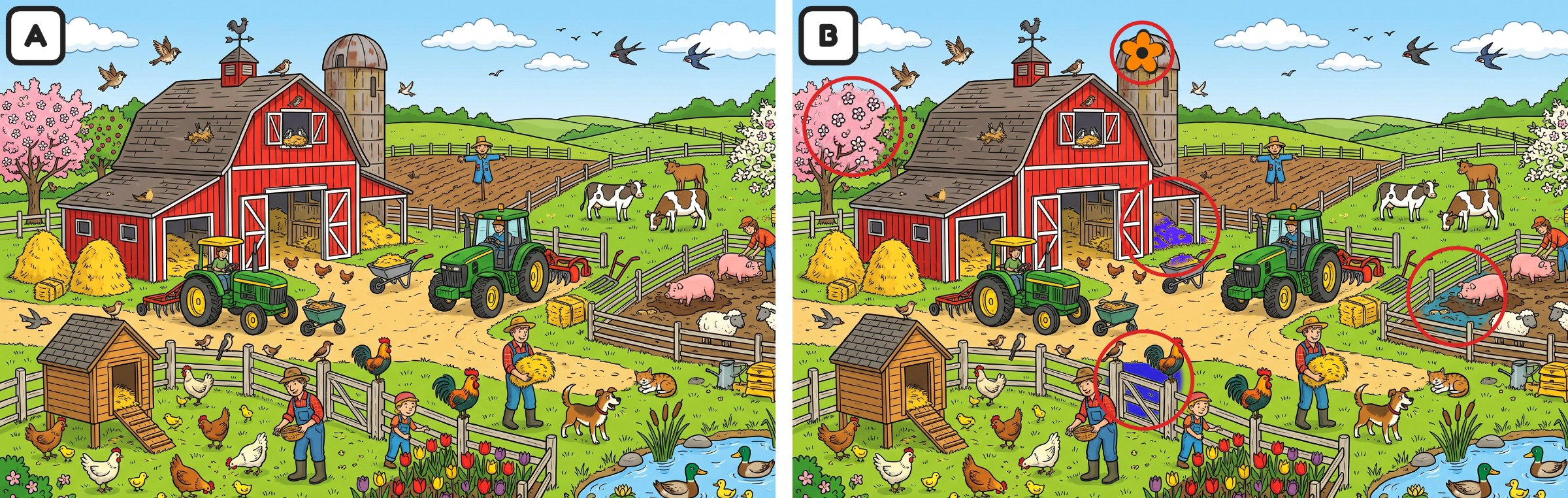
Picture A and Picture B made by Spot the Difference Studio, with the answers circled

Real output from the studio: a Farm picture from the library, Easy level, answers circled.

▶ Watch the 75-second demo  ·  Download a free sample book (PDF)

One-time payment

$17

Get Spot the Difference Studio - $17

30-day money-back guarantee · access for the life of Spot the Difference Studio v1.x

  • ✓Type how many pictures you want (2–100) and add them all at once
  • ✓32 ready-made cartoon pictures, or upload your own
  • ✓Every difference made, checked and circled for you
  • ✓Puzzles sorted from easy to hard, answers at the back of the book
  • ✓Large-print KDP interior PDF + full-wrap cover PDF
  • ✓Works in your browser on Windows and Mac · nothing to install
32
ready-made cartoon pictures
6
kinds of differences
30
puzzles per book, unlimited books
8.5×11
large-print KDP interior + cover
What is this, exactly?

A web app that turns cartoon pictures into spot-the-difference puzzles. You add pictures, it makes Picture B with the differences, circles the answers, and lays out a large-print puzzle book you can upload to Amazon KDP as a paperback.

Perfect for: KDP low-content and activity book publishers · people making large-print books for seniors · parents and grandparents making family books · anyone who can click a button and type a title.

It is 9 p.m. You have found a lovely busy picture for page one. You open your photo editor, copy the picture, and start changing things: a red balloon turns blue, a cat disappears, a window gets an extra flower box.

An hour later you have five changes. Two are so small nobody will see them in print. You still have to circle the answers, number them, and do it all again for the next 29 pages.

That is the part this studio does for you. Add the pictures, and a few minutes later you are reading through a finished book instead of starting page two.

Watch this before you buy (75 seconds)

Recorded in the real studio, front-end plan: add pictures from the library, check the answers, redo a difference, change the level and build the PDF.

Get Spot the Difference Studio - $17

Making spot-the-difference books by hand is slow

✗ You edit every picture in a photo editor, change things one by one, then count and circle the answers yourself.
✗ Readers complain when pictures are dark, grey or blurry in print.
✗ Prompt packs give you two AI pictures that never match exactly, so the "differences" are everywhere.
✗ Puzzles end up too easy or too hard, with no steady path from easy to hard.

Why we built this studio

Before building anything, we looked at the best-selling spot-the-difference books for adults on Amazon. Buyers clearly like them: the top titles have thousands of ratings, and readers enjoy puzzles that get harder step by step.

But the most common complaint was simple: the pictures are too dark, or turn grey in print. And the large-print books for seniors we found had only a handful of ratings, so readers do not have many large-print choices yet.

Fixing pictures, making clear changes, counting them and circling the answers by hand takes a long time for every single puzzle.

So we built a tool that does the slow, careful parts for you: it fixes the picture, makes changes that are clear in print, checks each one, circles the answers, and lays everything out in large print. You still choose the pictures and decide what goes in your book.

How it works: 3 steps

1

Add pictures

Upload your own pictures (JPG or PNG), or type how many you want (2–100) and click "+ Add pictures from library" to use the ready-made cartoon pictures.

2

Check the differences

The studio fixes the picture and makes the changes. Redo, remove or add any difference with a click.

3

Export your book

Download the interior PDF (puzzles, answer key) and the full-wrap cover PDF, ready to upload.

Real puzzles made with the front end

Library pictures, straight out of the studio. Can you find the differences before you look at the answers?

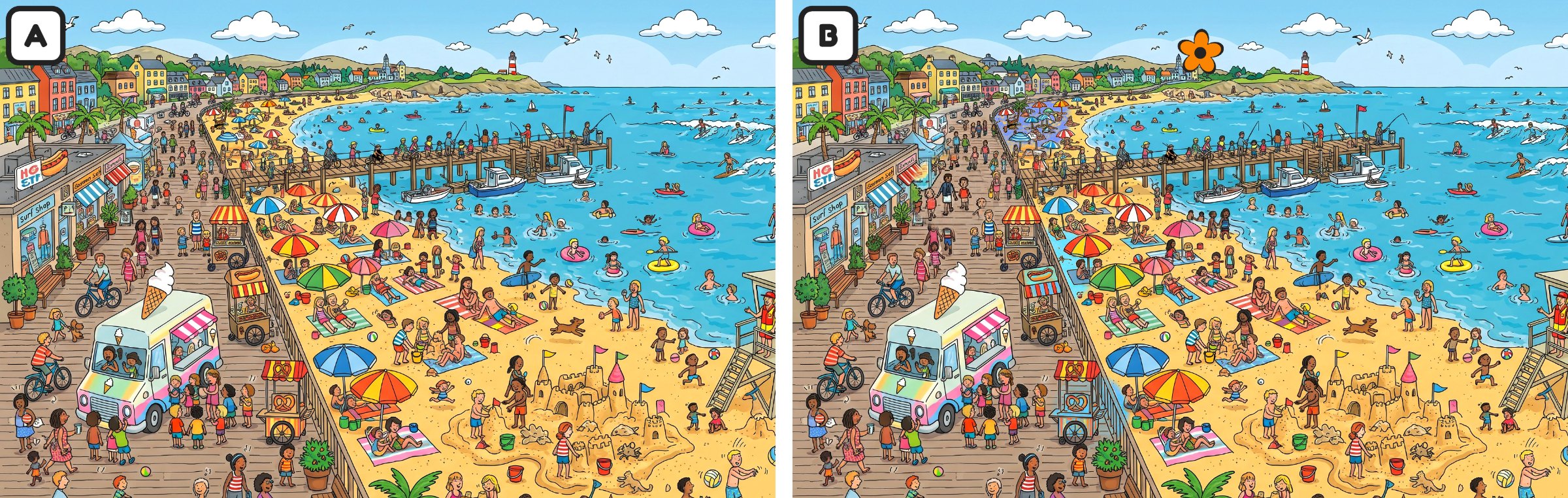
Beach picture, Easy level spot the difference puzzle

Beach (summer) · Easy · 5 differences

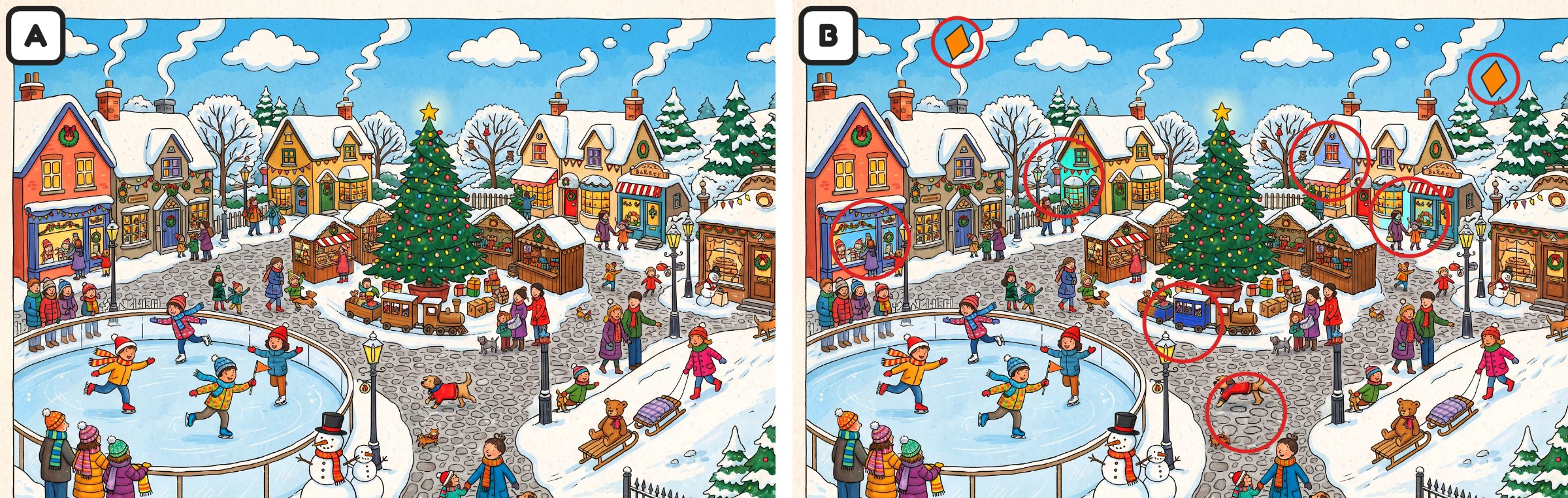
Village picture, Medium level, answers circled

Village (winter) · Medium · 8 differences · answers circled

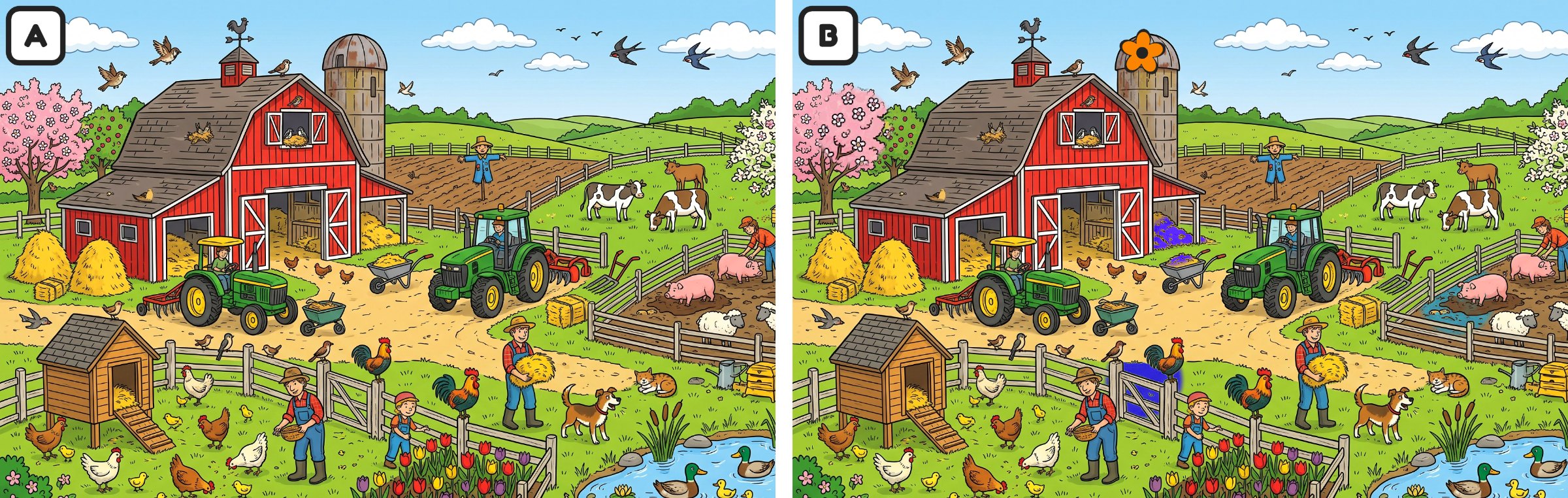
Farm picture, Easy level spot the difference puzzle

Farm (spring) · Easy · 5 differences (answers are at the top of this page)

Look inside a book made with the studio

These pages come straight from the PDFs the front end exports. Nothing was edited afterwards.

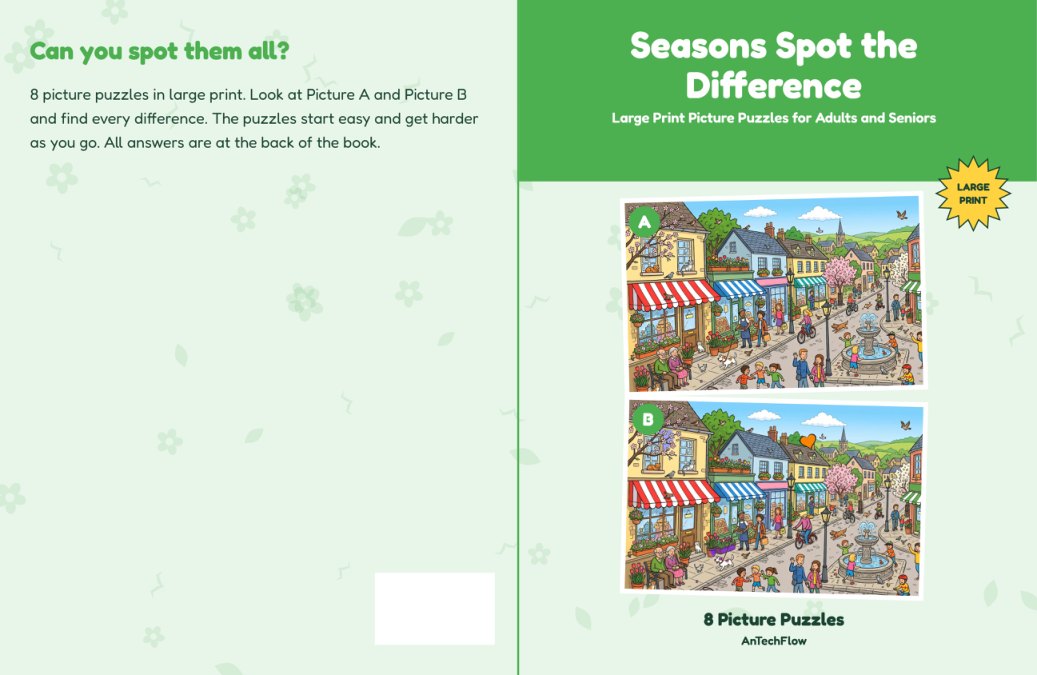
Full-wrap KDP paperback cover made by the studio

Full-wrap paperback cover: back, spine and front, with space for the KDP barcode.

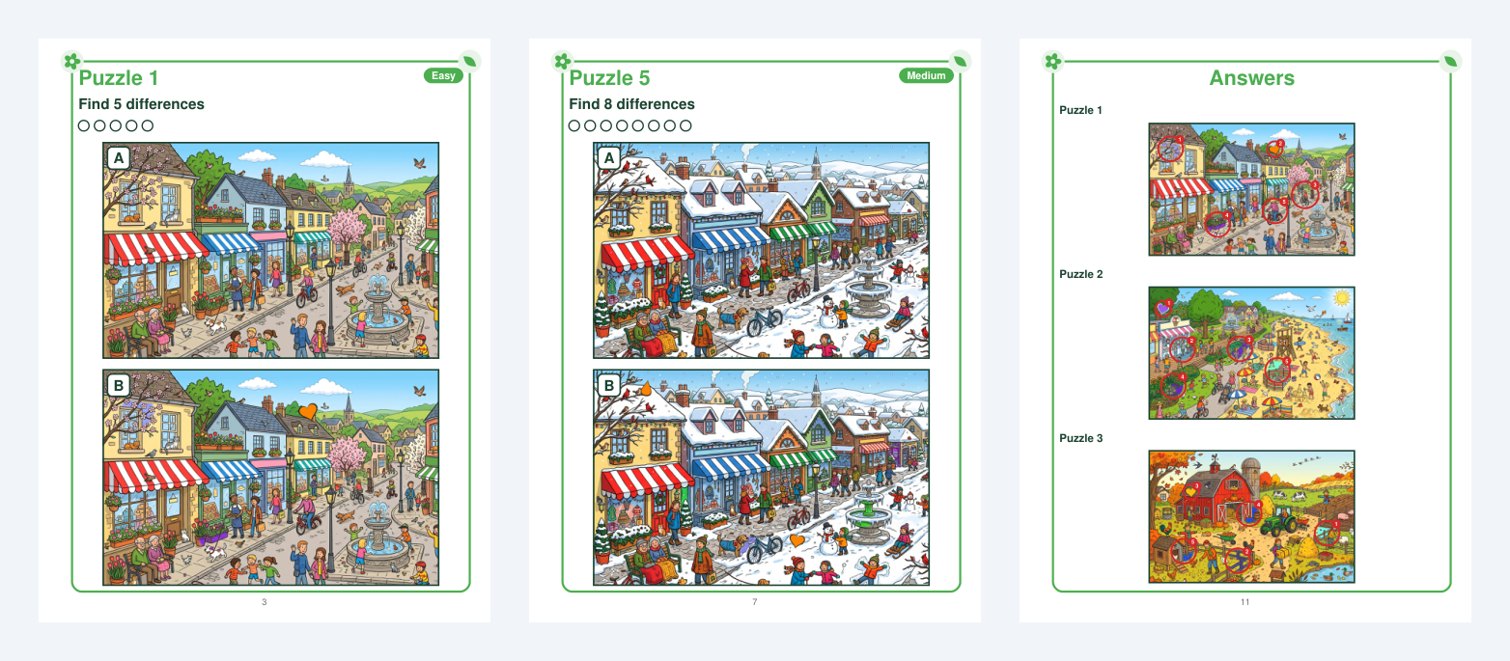
A puzzle page and an answer key page from the interior PDF

Two puzzle pages with level badge and tick circles, and an answer page with numbered red circles. All answers are at the back of the book.

Download the free sample book (PDF, 8 puzzles, 16 MB)

Fixes the #1 complaint: dark pictures

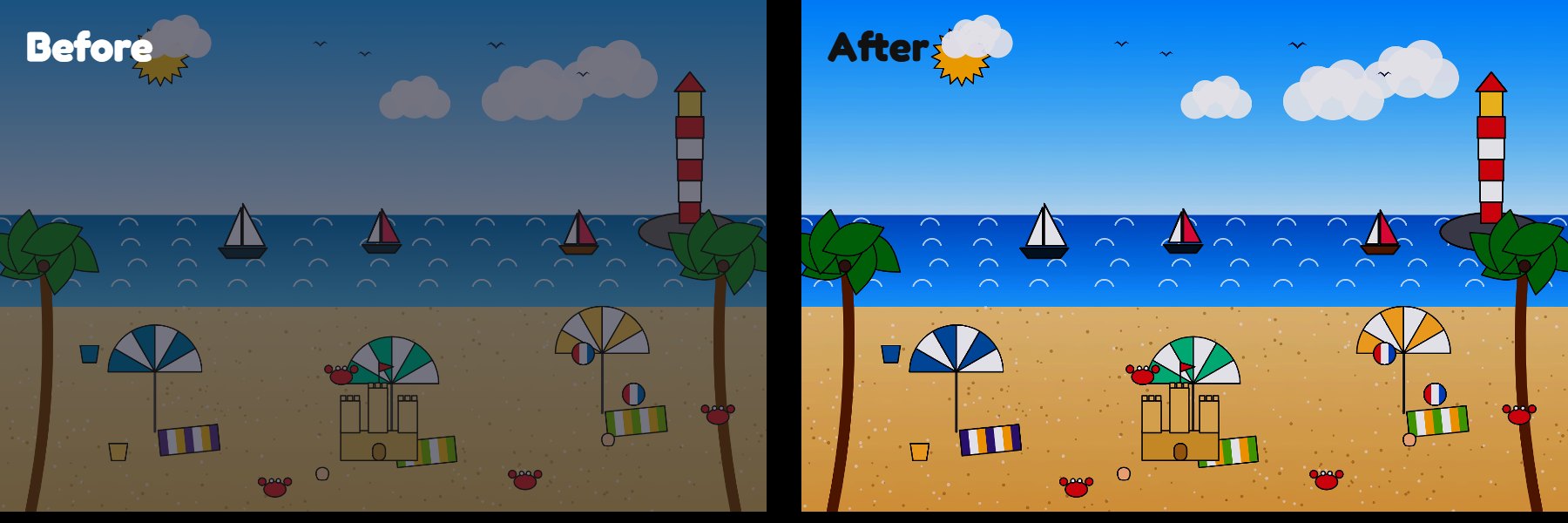
The built-in picture fixer brightens and sharpens each picture before the puzzle is made.

A dark picture before and after the picture fixer

Everything in the studio

Picture fixer

Dark, dull or grey pictures are the top complaint about spot-the-difference books. The studio brightens them, adds contrast and color, and shows you a before/after slider.

6 kinds of differences

Color change, something removed, something added, mirrored, bigger, copied detail. Puzzles feel varied, not "the same trick ten times".

Every difference is checked

The studio measures each change. If it is too faint to see in print, it is redone automatically.

Easy and Medium levels

Easy has 5 differences, Medium has 8. Turn on "sort easy to hard" and the whole book is ordered for you.

You stay in control

Click a difference to redo or remove it, or click on the picture to add one exactly where you want.

Answer key included

Red numbered circles on every answer page, so readers can check their work.

Large print layout

Big headings, 18 pt instructions, thick frames and tick circles. Built for adults and seniors.

Black & white mode

Uses only changes that still show in grey, for cheaper black & white printing.

4 season themes

Spring, Summer, Fall and Winter page frames, colors and "added" shapes.

32 ready-made cartoon pictures

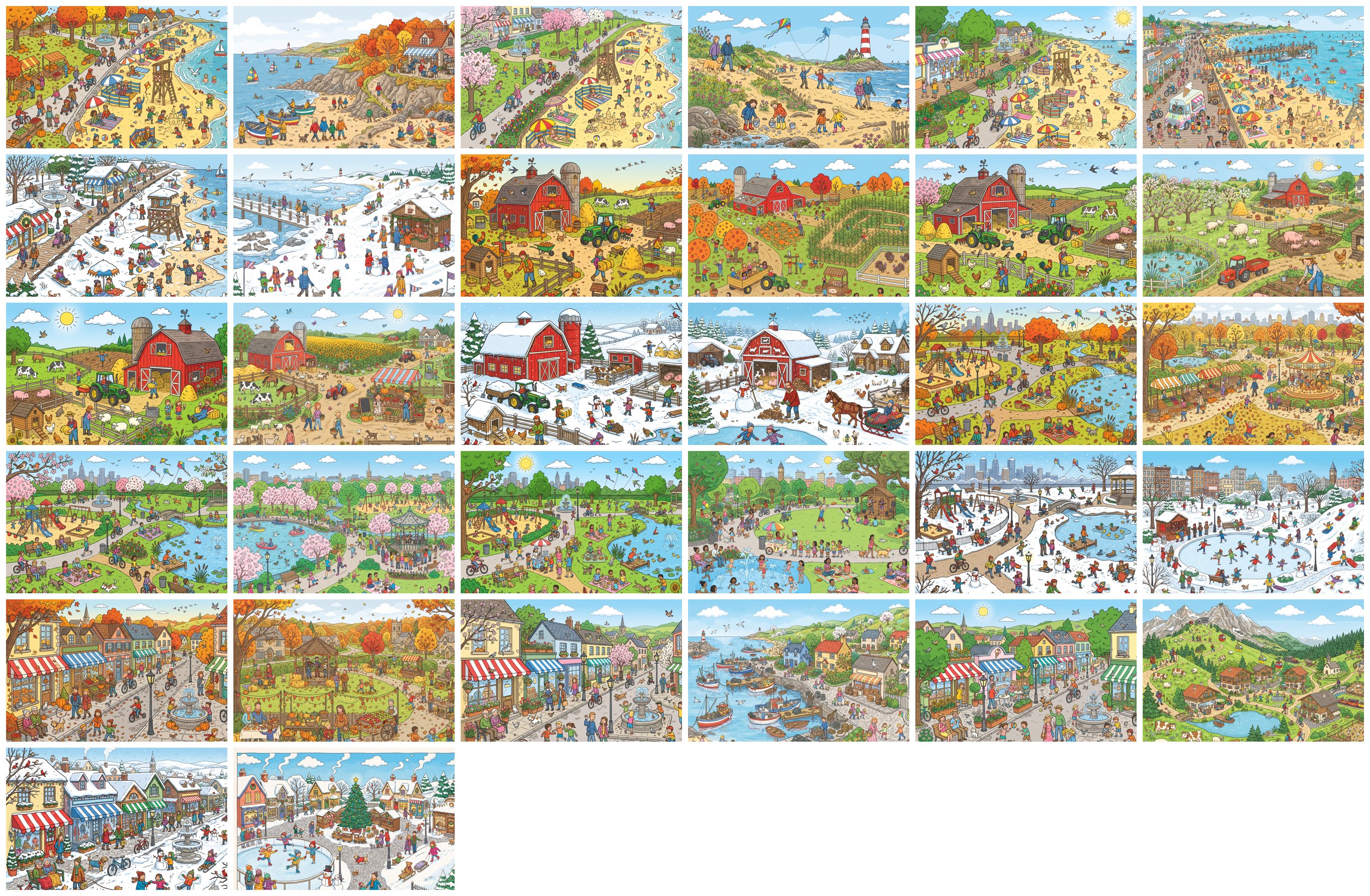
A picture library with detailed, hand-drawn-style cartoon scenes: Village, Beach, Farm and Park, 2 different pictures for each season. Made with AI (Google Gemini) and ready to use in your books. Plus simple practice scenes the studio draws for you.

KDP interior + cover

8.5 x 11 in interior PDF and a full-wrap paperback cover PDF at 300 DPI with spine and barcode area.

Up to 30 puzzles per book

Make as many books as you like. One-time payment, no monthly fee.

Three ways to make a spot-the-difference book

By hand in a photo editorAI prompt packSpot the Difference Studio
Picture A and B matchYesNo, two AI pictures always differ in many placesYes, B is made from A
Number of differencesYou count themUnknownExactly 5 (Easy) or 8 (Medium)
Changes visible in printYou check by eyeNot checkedMeasured, faint ones redone
Dark picture fixManualNoBuilt in, with before/after
Answer keyYou circle by handNoMade for you, numbered
Easy to hard orderYou sort itNoOne checkbox
KDP interior + cover PDFYou design itNoExported for you

Book ideas you can make

A few ideas to get started. You choose the pictures, title and audience.

Large print for seniors

Easy level, big headings, bright pictures. A calm, screen-free activity.

Season books

Spring, Summer, Fall and Winter books with matching page frames.

Family activity books

Fun scenes that parents and grandparents can solve with children.

Your own photos

Your garden, your pets, your trips. Pictures you took yourself are yours to use.

Your own AI pictures

Make pictures in your favorite AI tool, then turn each one into a puzzle.

Gift books

A personal book for a family member, made from pictures that mean something to them.

Get Spot the Difference Studio - $17

Ready-made picture library

32 detailed cartoon pictures: Village, Beach, Farm and Park, two different pictures for each of the four seasons. Made with AI (Google Gemini). On KDP, mark the interior as AI-generated images.

Village, Beach, Farm and Park library pictures

One book, two ways

By hand in a photo editorWith the studio
PicturesFind and buy each one32 included, or add your own
Making the changesEdit every change yourselfMade for you, redo any you dislike
Can readers see them in print?You find out after printingEach change is measured; faint ones are redone
Answer keyCircle and number by handNumbered red circles, at the back of the book
Easy to hard orderGuess and re-order pagesSorted for you
Interior + cover for KDPLay out every page, design a coverTwo PDFs, ready to upload

Who uses a studio like this?

KDP activity book publishers

Add a spot-the-difference series to your catalog without hours in a photo editor.

Large-print book makers

Bright pictures, big headings and clear answers for adults and seniors.

Parents and grandparents

A screen-free family book, or a gift made from your own photos.

Teachers and homeschoolers

Calm, focused puzzles for quiet time, sorted from easy to hard.

Seasonal sellers

Spring, Summer, Fall and Winter books with matching frames and pictures.

AI picture makers

Turn the pictures you make in your favorite AI tool into puzzles.

What happens after you buy

1

WarriorPlus emails your receipt with the link to your access page.

2

Your access page shows your key and the Quick-Start Guide.

3

Click to open the studio in your browser. Your key is added for you.

4

Add pictures and build your first book. Questions? Email support.

“If many people buy this, won’t all the books look the same?”

It is the first question a careful buyer asks. Here is the honest answer.

The differences are new every time. The studio places them fresh for every puzzle, so the same library picture gives a different puzzle in your book than in anyone else’s. Click Redo all and you get another new set.
The library is a starting point, not the whole book. Mix it with your own photos and your own AI pictures. Any picture you have the rights to works the same way.
Your book is yours. You choose the title, the theme, the order, the levels and the audience, and you write your own listing (the bonus KDP Listing Template helps).
Be honest with readers. The library pictures were made with AI. Declare AI images on KDP, and do not publish two near-identical books yourself.

This is for you if…

  • ✓You publish puzzle or activity books on Amazon KDP, or want to start
  • ✓You want large-print books for adults and seniors, or fun books for families
  • ✓You have your own pictures, or make pictures with AI, and want to turn them into puzzles
  • ✓You want clear answer keys without circling every change by hand

This is not for you if…

  • ✓You want someone to publish and sell books for you
  • ✓You expect a set income from your books (we make no earnings claims)
  • ✓You want to use pictures you do not have the rights to

Included bonuses

Bonus 1: Quick-Start Guide

From first picture to KDP upload, step by step (printable web guide).

Bonus 2: Picture Rights Checklist

Which pictures you can use (your own, your own AI images, CC0) and what to avoid.

Bonus 3: KDP Listing Template

Title and subtitle patterns, a description outline and keyword ideas for spot-the-difference books.

Get Spot the Difference Studio today

  • ✓The studio (web app, works in Chrome, Edge or Firefox on desktop)
  • ✓Add 2–100 pictures at a time; up to 30 puzzles per book, unlimited books
  • ✓Picture fixer, 6 kinds of differences, Easy and Medium levels
  • ✓Answer keys, large-print layout, black & white mode, 4 season themes
  • ✓32 ready-made cartoon pictures (4 scenes x 4 seasons x 2) + simple practice scenes
  • ✓KDP interior PDF + full-wrap cover PDF
  • ✓3 bonuses: Quick-Start Guide, Picture Rights Checklist, KDP Listing Template

$17

Get Spot the Difference Studio - $17

Instant access · one-time payment, no monthly fee · 30-day money-back guarantee

🛡

30-day money-back guarantee

Try the studio for 30 days. If it does not work as described on this page, email support@antechflow.com and we will refund you. This covers the front end and each upgrade separately. See the refund policy.

Questions

Do I need design or photo-editing skills?

No. You add a picture and the studio makes the differences and the pages. You can adjust each difference with a click if you want.

Which pictures can I use?

Pictures you own, pictures you made yourself with AI tools, or pictures marked CC0. Do not use pictures you do not have the rights to. The bonus checklist explains this.

Can I use AI pictures?

Yes, as long as you have the rights to them. Amazon KDP asks you to declare AI-generated images when you publish.

What do I need to run it?

A desktop or laptop with a recent Chrome, Edge or Firefox browser. Nothing to install.

Does it work on Mac?

Yes. It runs in the browser, so it works on Windows, Mac and Chromebook desktops and laptops. Phones are too small for editing.

Are my pictures uploaded to your server?

No. Your pictures are processed inside your own browser and never sent to us. Only your access key is checked online.

How long does it take to make a book?

Adding 30 library pictures and making all the differences takes a few minutes on a normal laptop. Most of your time goes into checking the puzzles and choosing your title.

Does the same picture always give the same puzzle?

No. The differences are placed fresh each time, and you can redo any single difference or the whole set whenever you like.

Do the library pictures need to be declared as AI on KDP?

Yes. They were made with AI (Google Gemini), so mark the interior as AI-generated images when you publish on KDP. Your own photos do not need this.

How many books can I make?

As many as you like. Each book holds up to 30 puzzles, and you can start a new book any time.

Which book size and levels are in the front end?

The front end makes 8.5 x 11 in books with Easy (5 differences) and Medium (8 differences) puzzles. More sizes and harder levels are optional upgrades.

What if it does not work for me?

Email support first and we will help. If it still does not work as described, you get a refund within 30 days.

Is there a monthly fee?

No. The front end is a one-time payment of $17. Upgrades are optional.

Can I sell the books I make?

Yes. You can publish and sell the books you make with the studio under your own name. Selling the studio itself, or your access, is not allowed. Printable download formats and making books for clients come with the Agency & Etsy upgrade.

Can you promise sales or income?

No. We make no earnings claims. Results depend on your book ideas, pictures, listings and marketing. See the earnings disclaimer.

Is this made by Amazon?

No. It is an independent tool and is not affiliated with Amazon or Etsy.

Get Spot the Difference Studio - $17

Earnings disclaimer: We do not make earnings claims. Spot the Difference Studio is a software tool that helps you make puzzle books. Any results depend on your own work, market conditions and many factors outside our control. See the full earnings disclaimer.